
In the Cash Posting screen, deposits represent payments received (e.g., checks, EFTs).
To add the deposit in Cash Posting:
- Navigate to Payments > Cash Posting.

- Click on "Add Deposit" (top right). It will redirect you to a new screen.

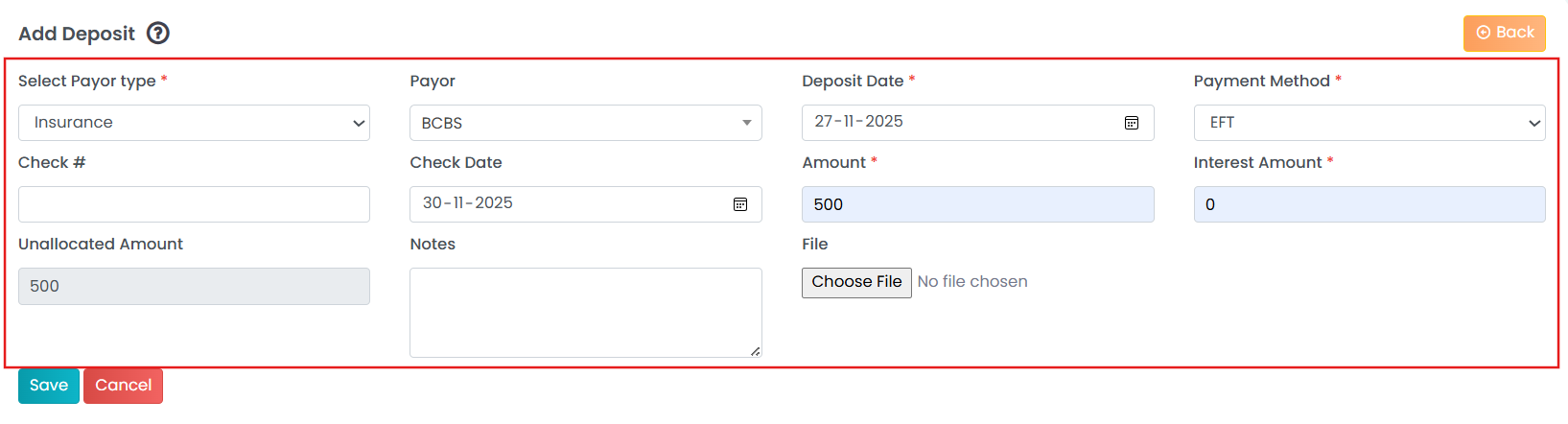
- Enter details related to the deposit.
To know how to edit the deposit, please visit this article!