
In the Cash Posting screen, deposits represent payments received (e.g., checks, EFTs).
To edit/update the deposit on TherapyPM:
- Navigate to Payments > Cash Posting.

- Select a deposit and click the three horizontal dots (...) under the Action column. You can also use filters to select them.
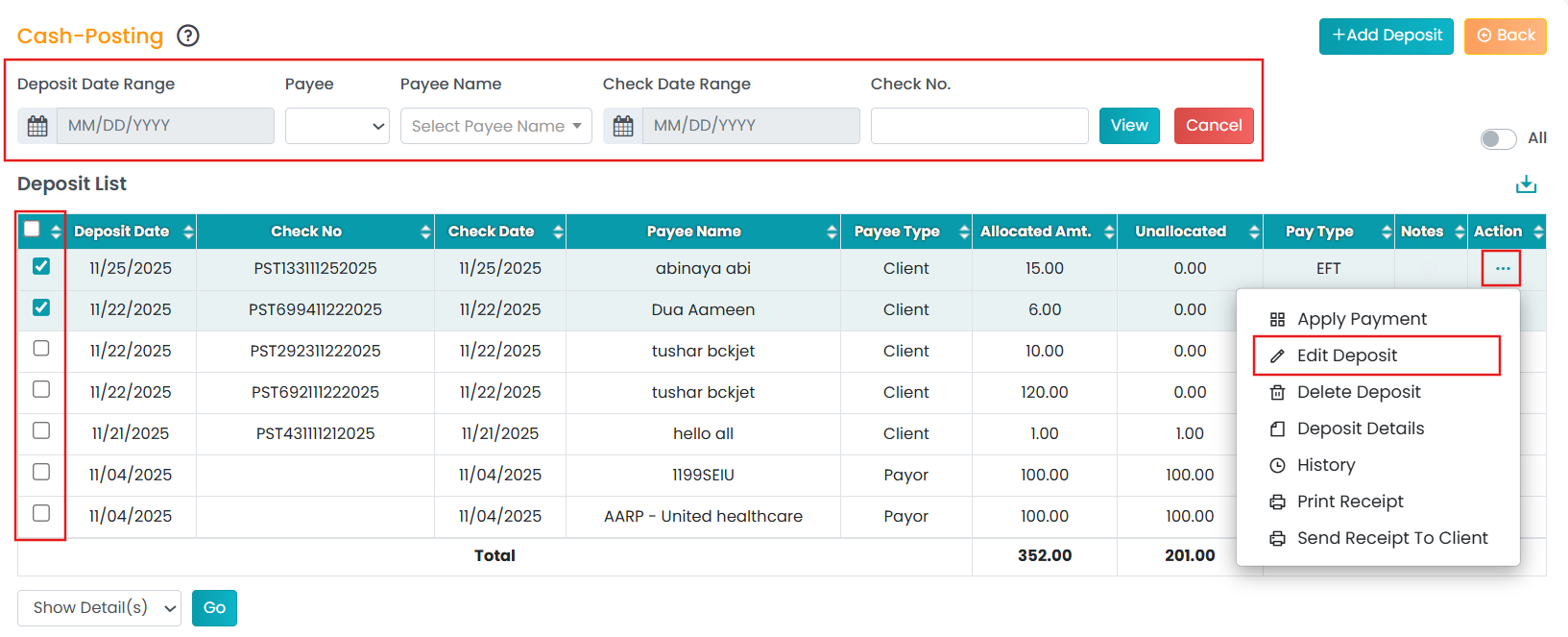
- Select "Edit Deposit". It will redirect you to another screen.
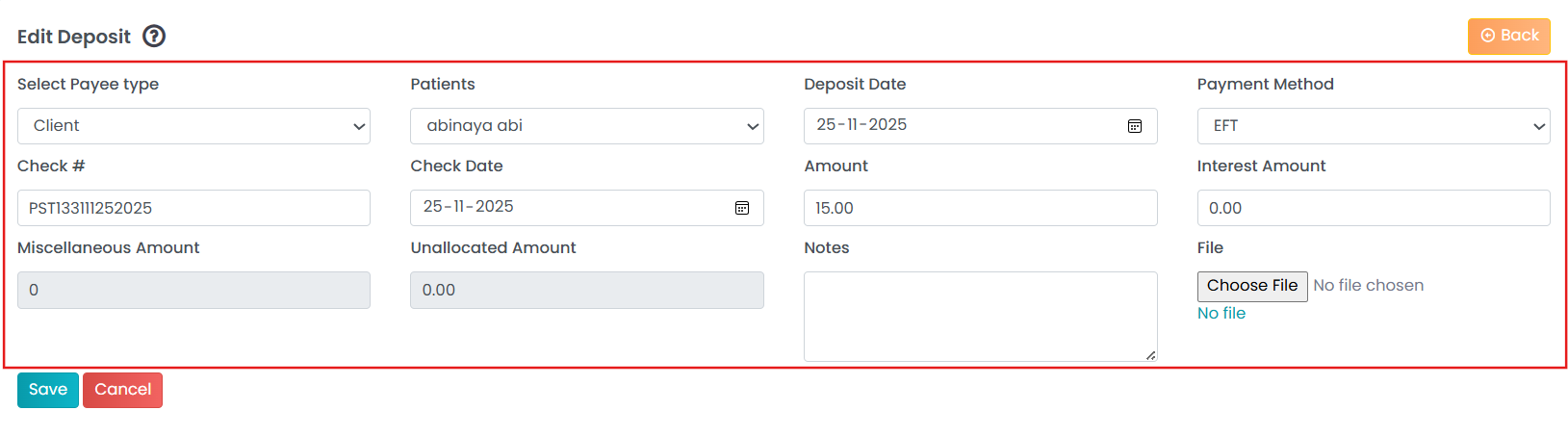
- Edit or update the deposit details and save changes.
Adding or editing deposits on TherapyPM can help you document and track incoming payments well.
To know how to add deposits, please visit this article!