
TherapyPM has functionality in the Staff module to provide any provider/ staff the admin level access.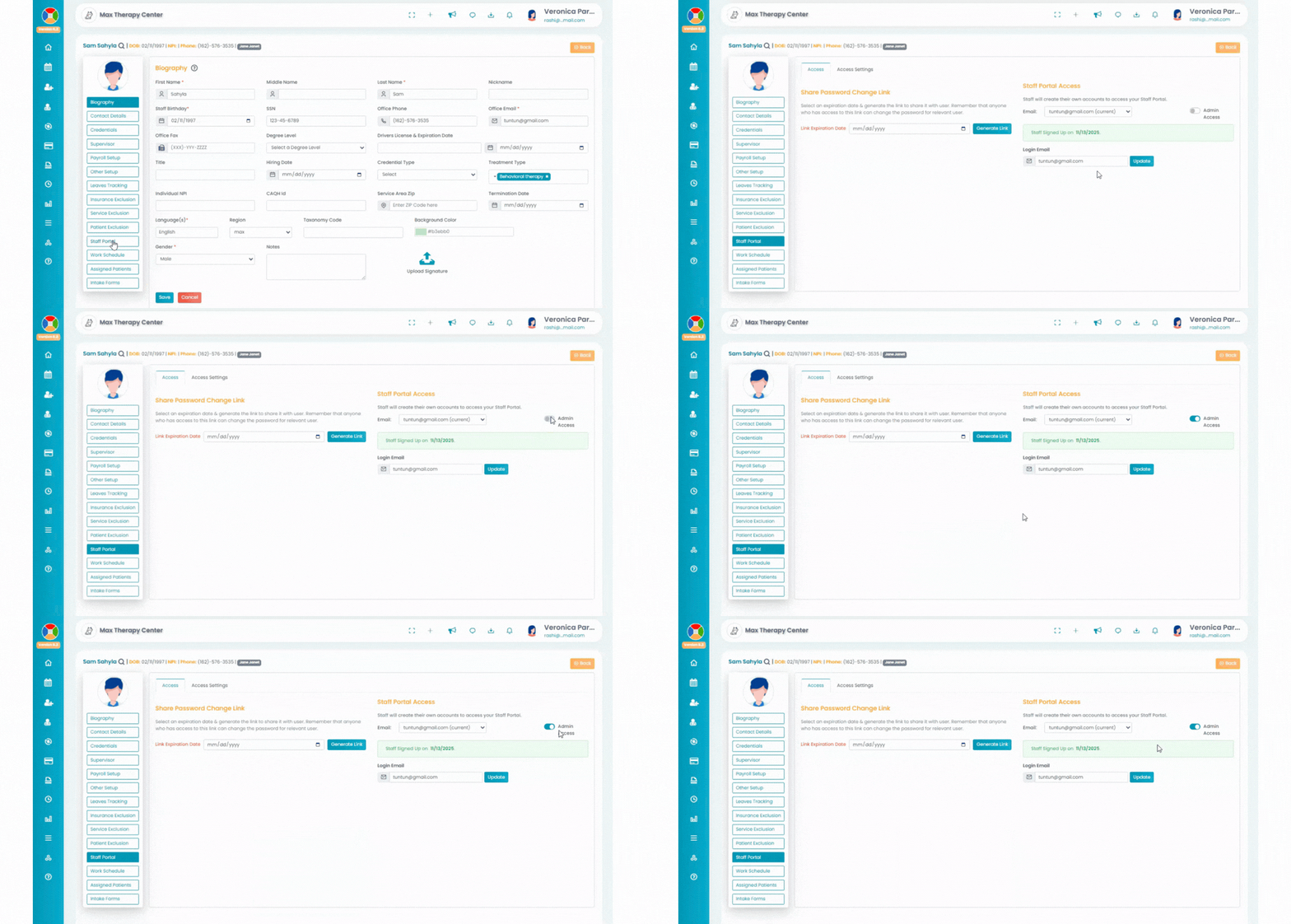
- Navigate to the staff from the left navigation bar.
- Select the Staff Portal tab, and turn on the Admin Access toggle under the Staff Portal Access section.
- In the Assign Admin Access screen, click the Proceed button to confirm the Admin Access function for the provider.
- The Admin Access toggle will be enabled once the Proceed button is selected.
- To manage advanced settings and limit the admin views, you can navigate to Menu Permissions > User Groups or Group Permissions.


Note: The admin access toggle appears only when a provider has signed up (green alert). If it's red or blue alert, the provider hasn’t signed up yet, and the toggle remains hidden.