
Video Walkthrough
For a live demonstration of Menu Permission Module. see the below video:
The Menu Permission module in TherapyPM allows you to manage user access efficiently. It enables you to create user groups, categorize staff/providers under these groups, and customize menu permissions. It also ensures that each user group has seamless and appropriate access to features.
The Menu Permission module consists of two tabs:
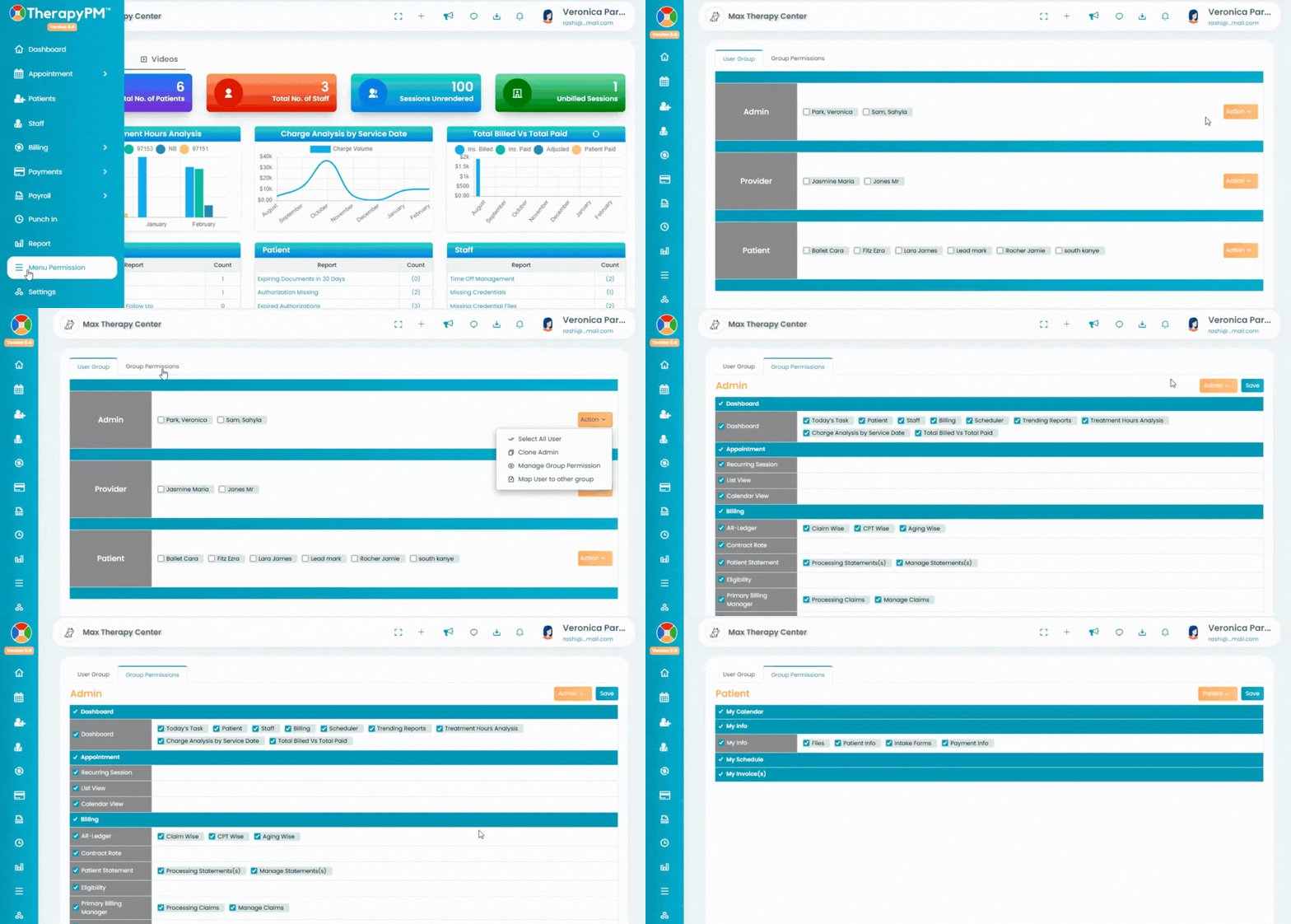
Within the Group Permissions tab, you can manage which tabs and permissions are available for each User Group in their respective portal view. This determines what users can see and access when they log in.
You can easily toggle between the different User Groups you’ve created and update their access by enabling or restricting specific tabs as needed.
Please note:
The Admin, Provider, and Patient Portal groups come with default tabs.
You can only check or uncheck the permissions that are listed.
You will not be able to add new tabs that are not already available in the list.
This ensures structured access control while maintaining system-level defaults for core portal roles.