
In the Billing Settings tab, you can configure how claims are generated and displayed within the system.
To access this:
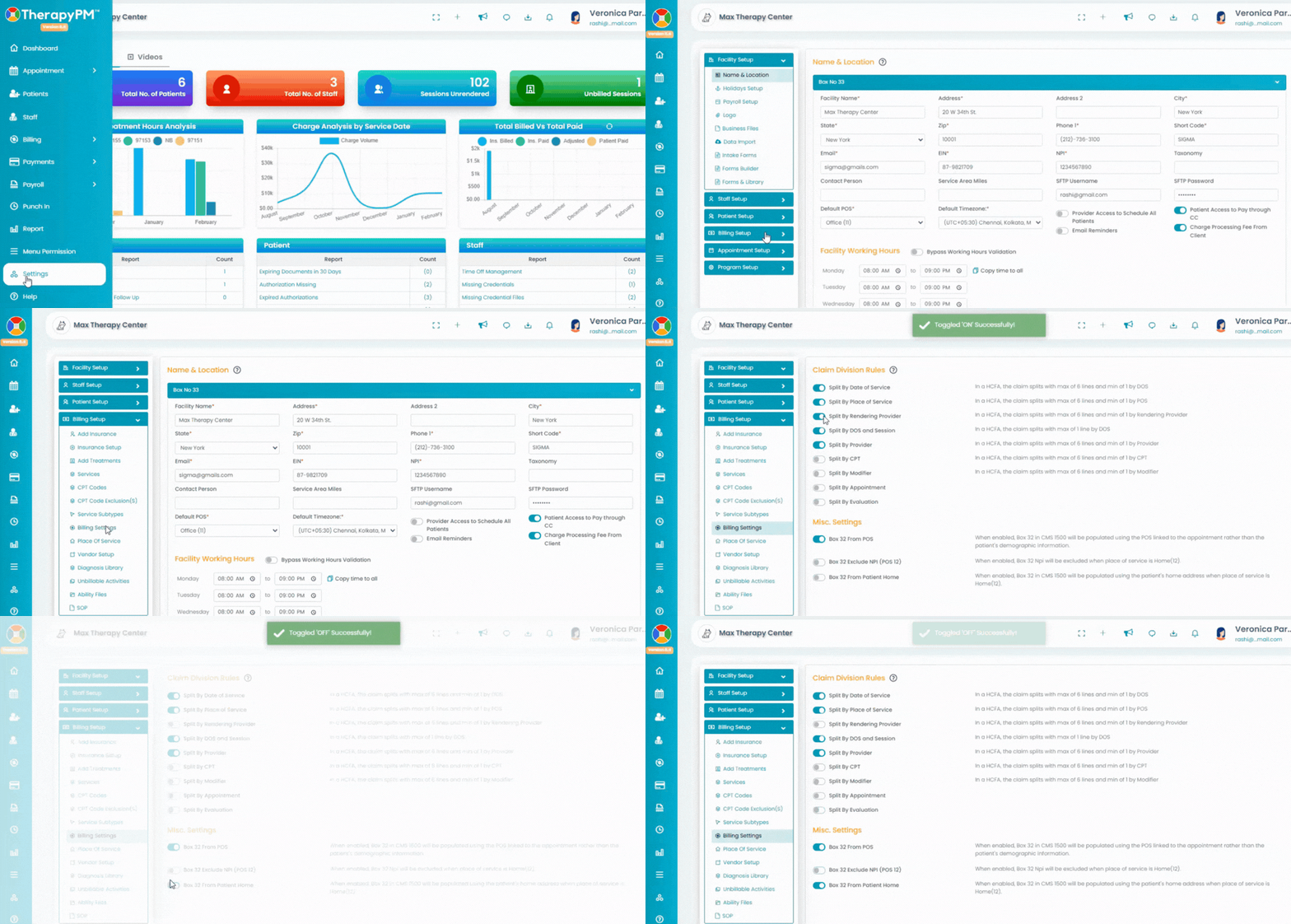
Navigate to the Settings module from the left navigation bar.
Select Billing Setup.
Click on the Billing Settings tab.
Claim Division Rules
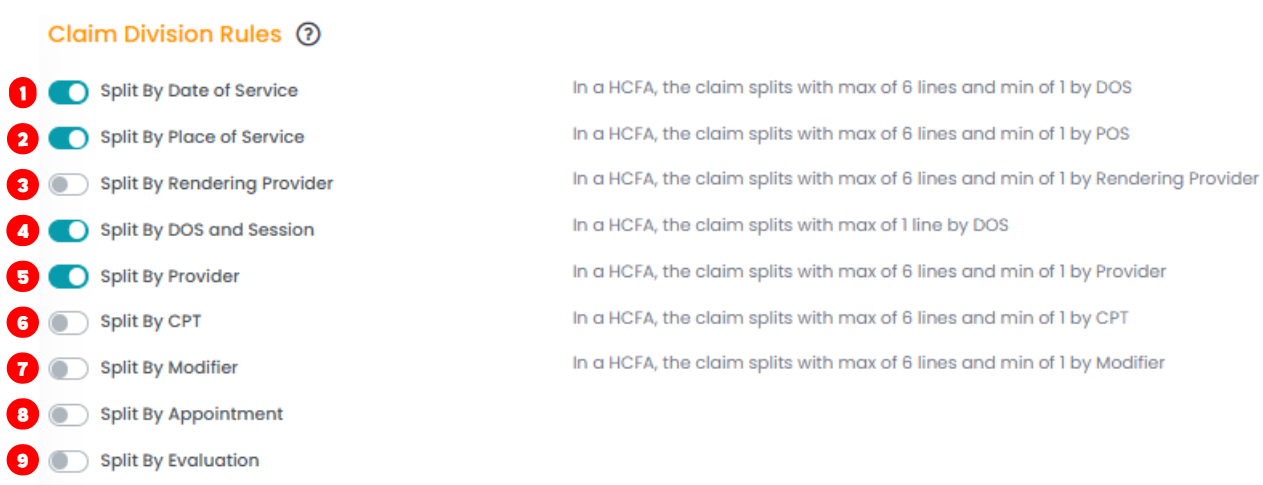
- Split By Date of Service (DOS)
Splits the claim based on each date of service. - Split By Place of Service (POS)
Splits the claim based on the place where services were provided. - Split By Rendering Provider
Splits the claim based on the rendering provider listed on the service. - Split By DOS and Session
Splits the claim into one line per date of service and session. - Split By Provider
Splits the claim based on the assigned provider. - Split By CPT
Splits the claim based on CPT codes. - Split By Modifier
Splits the claim based on modifiers attached to CPT codes. - Split By Appointment
Generates claims separately for each appointment. - Split By Evaluation
Separates evaluation services from other service types when generating claims.
Miscellaneous Settings

- Box 32 From POS
Populates Box 32 using the Place of Service linked to the appointment. - Box 32 Exclude NPI (POS 12)
Excludes the NPI in Box 32 when the Place of Service is Home (12). - Box 32 From Patient Home
Populates Box 32 using the patient’s home address when Place of Service is Home (12).