
Review Rendered Session
When a session is rendered in HiRasmus, it will automatically sync and render on the TherapyPM side as well. Below are the steps to view and manage HiRasmus session notes within TherapyPM.
List View / My Schedule
- Navigate to List View from the left navigation bar.

- In the list view page, select the session date and use the sort options.
- Filter by note as Available to display only sessions that have a linked HiRasmus note
- The sessions will be displayed.

- In the Note column, you will see the HiRasmus icon.
- Click the icon to view the session note.
Any TherapyPM Calendar
- Navigate to any of TherapyPM’s Calendar from the left navigation bar which includes the new and old calendar view and timeline view
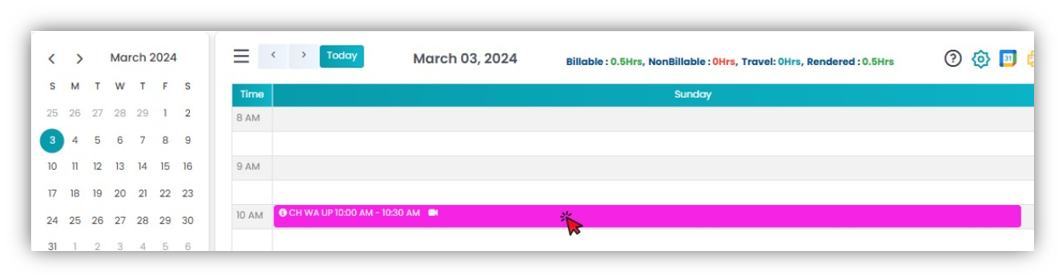
- Locate and click on the session block. You will be directed to the Edit Session pop-up.
- Scroll down within the pop-up window.
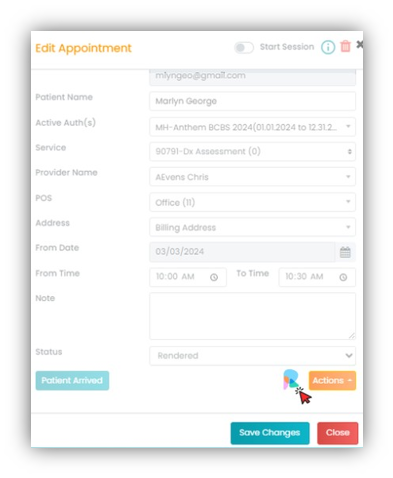
- Click on the HiRasmus icon to view the session note.