
The latest versions includes major and minor bug fixes and improvements. Below are the details of the 7.2 release notes.
Manage Billing - Update and Refresh Units
Users can now update or refresh units directly from the Manage Billing tab within the Primary Billing Manager screen without having to retract a claim first.
Benefits
- Eliminates the need to retract claims for unit adjustments.
- Saves time and reduces billing workflow interruptions.
- Ensures unit counts can be updated quickly and accurately.
How to Use
- Log in to TherapyPM and navigate to the Billing module.
- Open the Primary Billing Manager screen.
- Navigate to the Manage Billing tab.
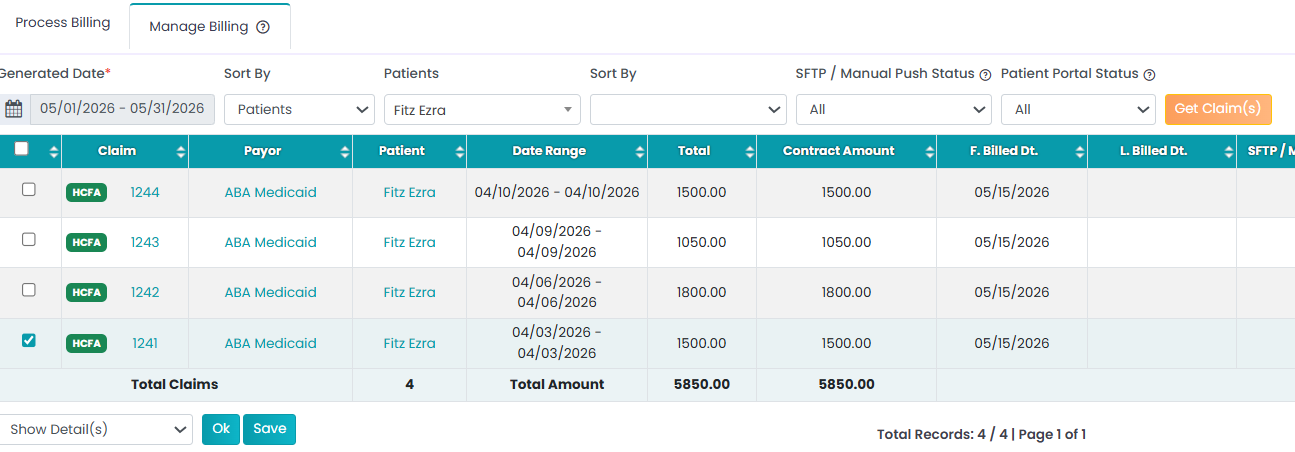
- Filter or sort the claims to locate the claim you would like to update.
- Select the desired claim and click Show Details.
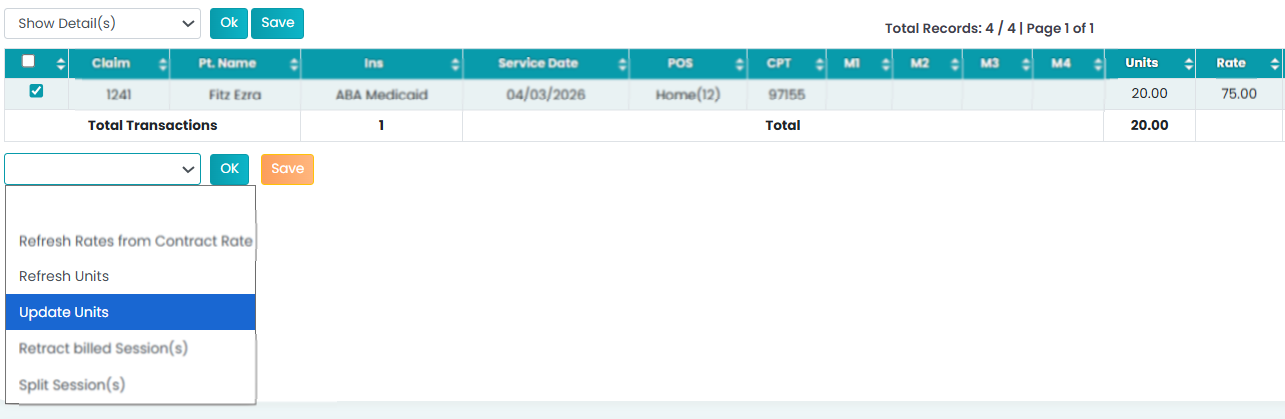
- Select the Update Units option and click OK.
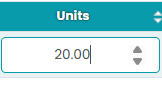
- Modify the units as needed and click Save.
Refresh Units
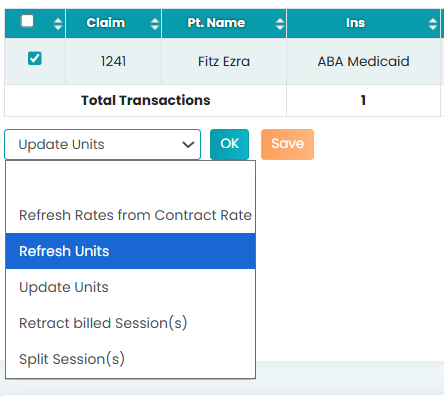
A new Refresh Units option is also available. If changes have been made that affect the unit count, users can refresh the units directly from the Manage Billing screen instead of retracting and resubmitting the claim.
This enhancement streamlines the billing process and allows for faster claim maintenance.
Patient List – Customizable Column Layout
Administrators can now customize the columns displayed in the Patient List and reorder them according to their preferences.
Benefits
- Improves visibility of the most important patient information.
- Provides a more personalized and efficient workflow.
- Reduces time spent searching for key patient data.
How to use
- Log in to TherapyPM and Navigate to the Patient List.

- Click the Column Settings (Gear) icon.
- Select which columns should be displayed from the column visbility options.
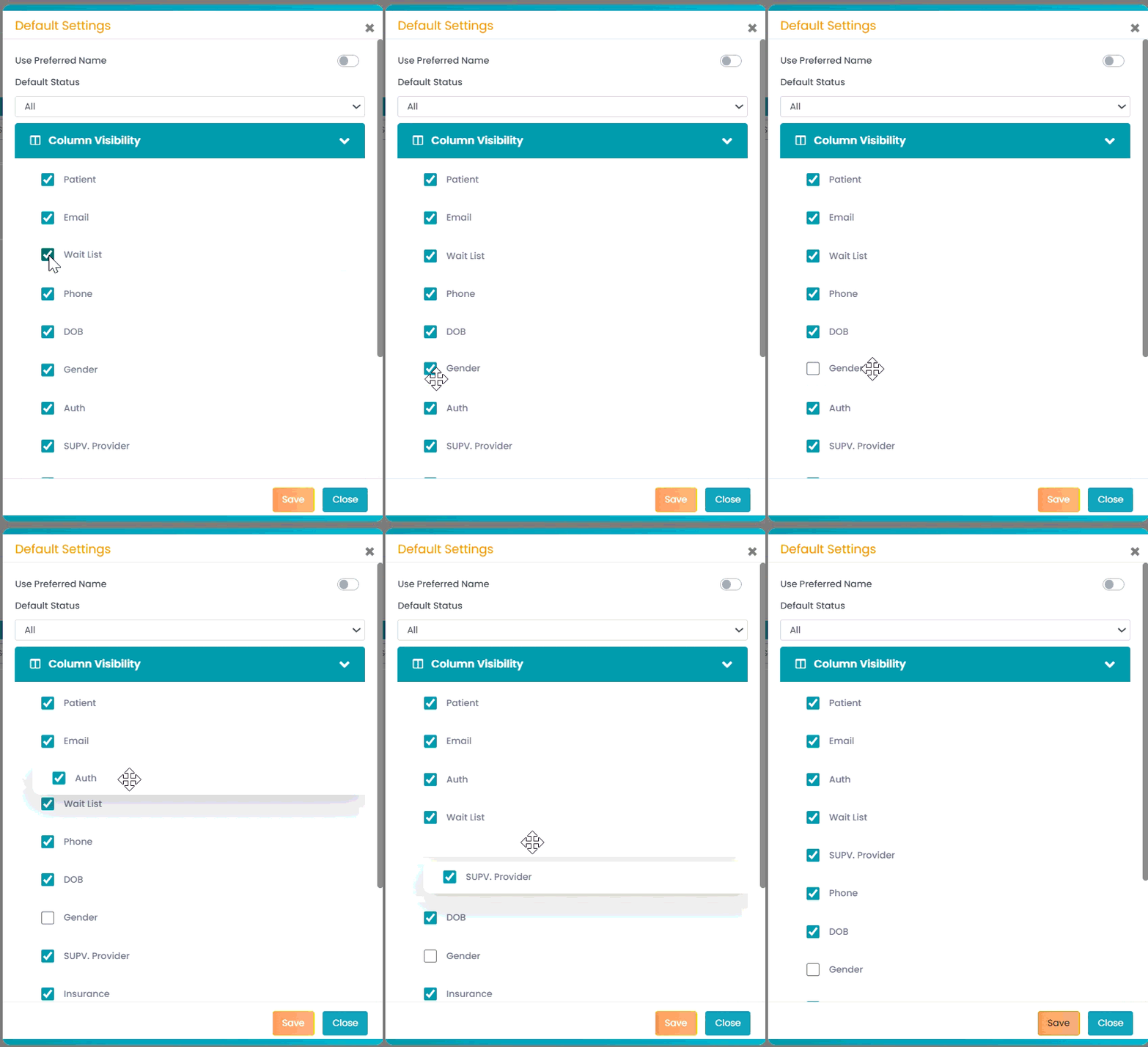
- Rearrange the order of the columns as needed.
- Click Save.