
TherapyPM allows you to automate Box 24J so it pulls the treating provider’s NPI instead on a payer-by-payer basis. This gives you more flexibility and helps ensure claims meet specific payer requirements.
How to Enable Treating Provider as Rendering Provider?
- Navigate to Settings > Billing Setup > Insurance Setup.
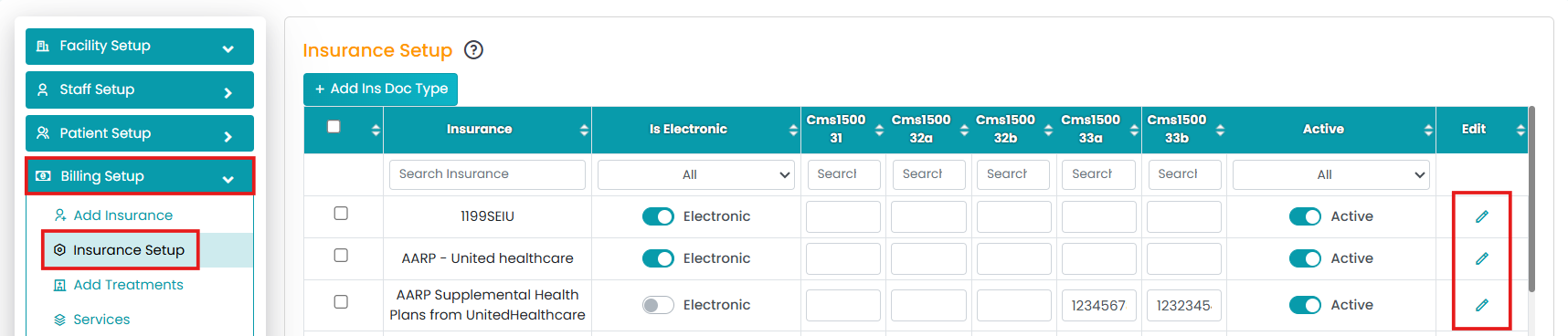
- Click on the Edit (Pen) icon under your preferred insurance.
- Under EDI Settings, enable the "Treating Provider as Rendering Provider" option.
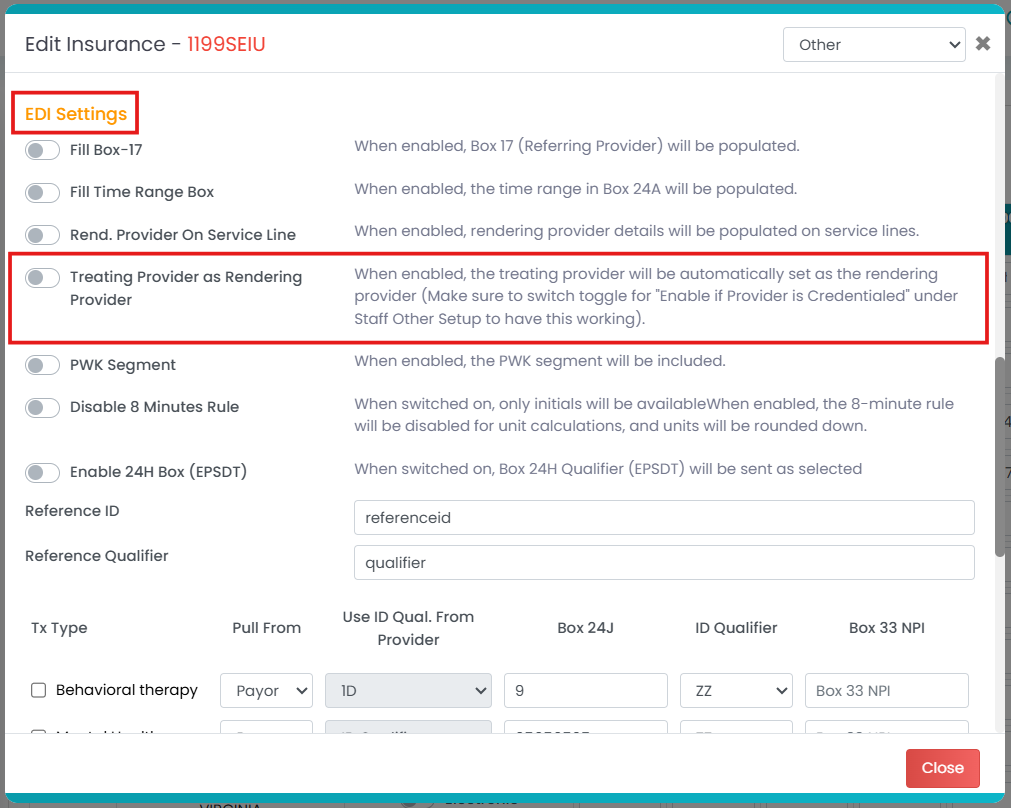
The claims for that payer will now automatically pull the treatment provider's NPI into Box 24J.
Note: This setting is payer-specific, so you can customize rendering provider behavior based on each insurance company’s requirements. No manual edits needed per claim.