
This article shows how you can manage the AR Ledger based on their aging status. You can view the order of aging claims submitted to different insurance payers, and also based on the number of days.
Based on this information, you can take action and work on your claims within the given deadline to avoid further delays, complications, and loss of revenue.
To effectively manage the AR Ledger Aging Wise, please follow the steps below:
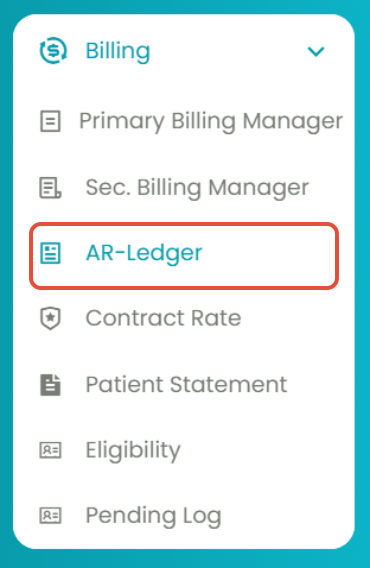
- Navigate to Billing > AR Ledger.
- Select the 3rd tab: AR Ledger - Aging Wise.
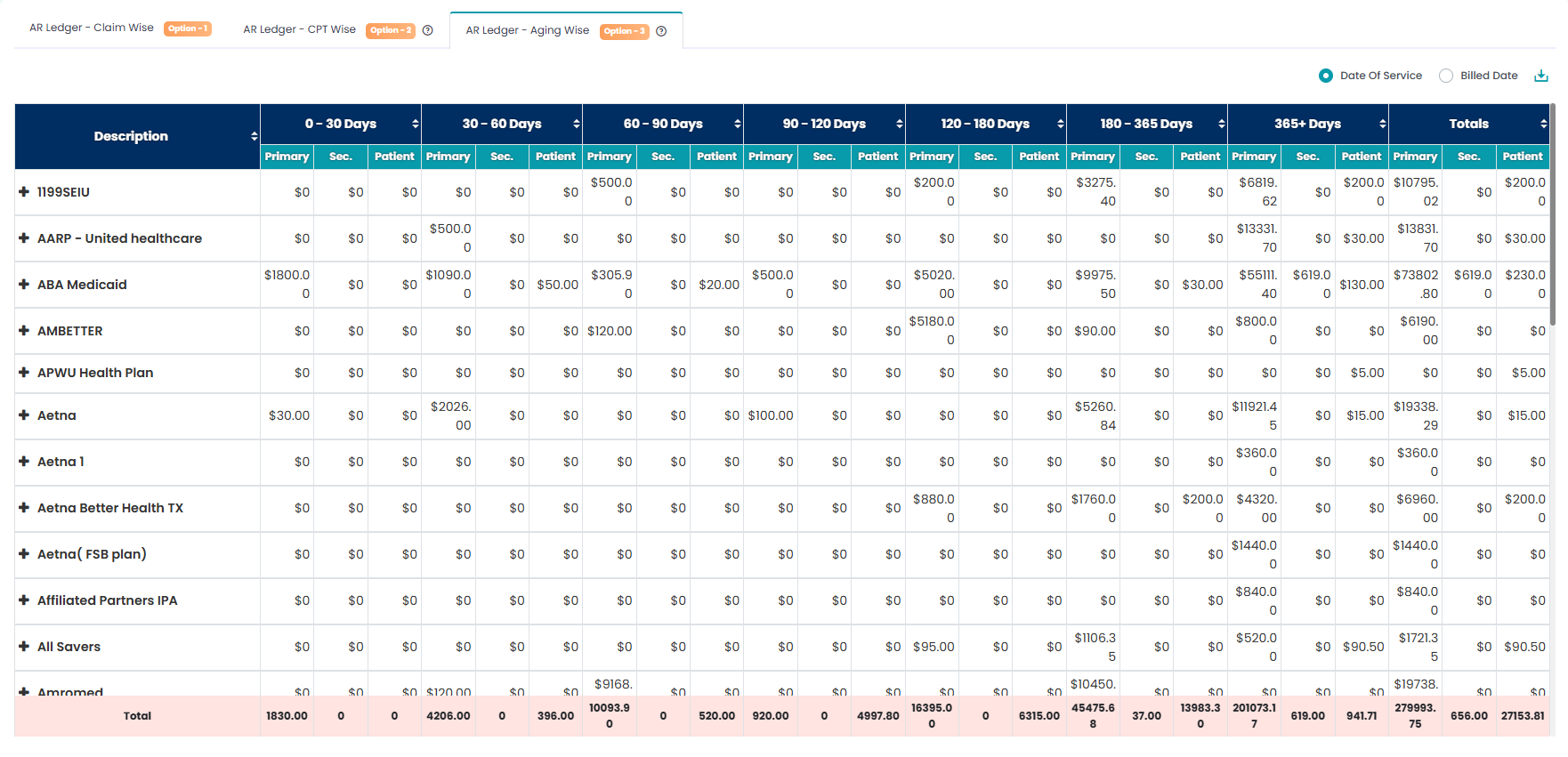
You can now view the aging claims based on dates and insurance payers.
Additional Information:
- You can view the aging claims based on their dates of service or billed date by using the toggles.
- You can download the claim list using the "Download" icon.