
Appointment email reminders can be turned off only by an Admin user or a staff member who has Admin access. To disable the reminders, please follow the steps below:
- Log in using an Admin account.
- Navigate to the respective staff profile (Staff Bio).
- Go to the Staff Portal section.
- Open Access Settings.
- Toggle off Email Reminder to stop appointment reminder emails from being sent to the staff member.
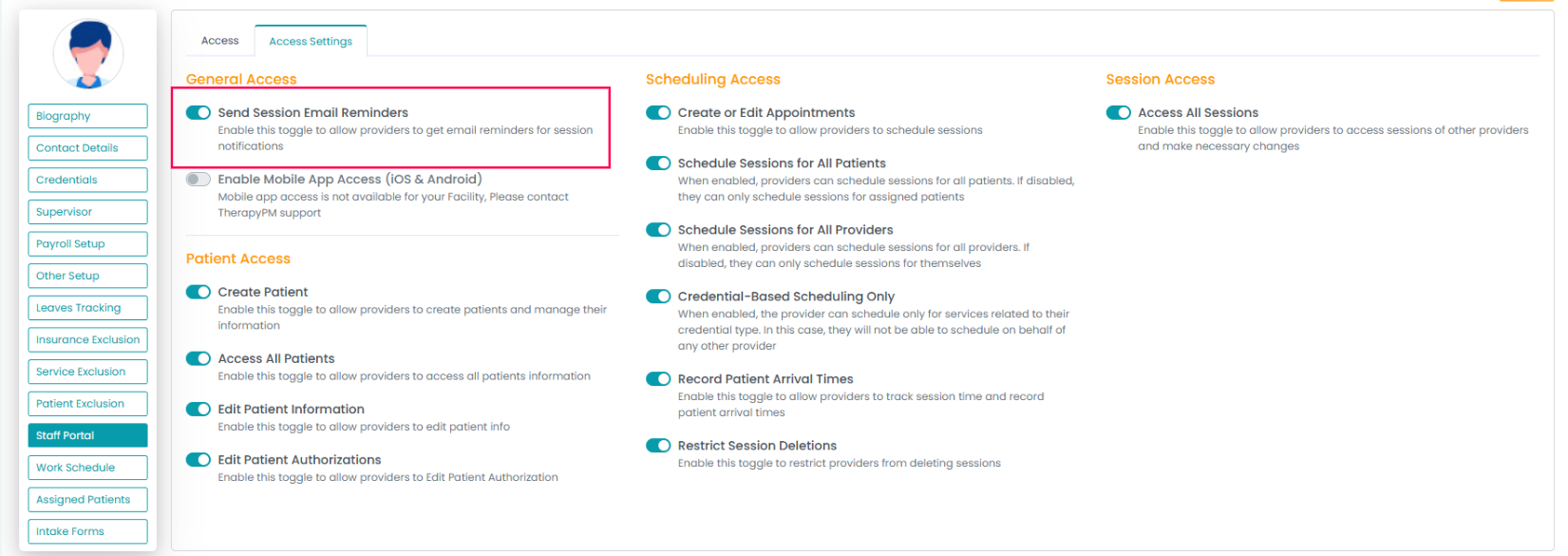
Once this is turned off, the therapist will no longer receive email reminders for appointments.