
You can verify whether any payments were applied by following these steps:
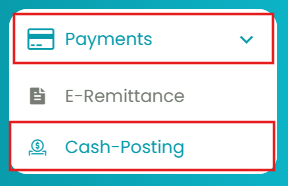
- Navigate to Payments > Cash Posting.
- Copy the check number from the EOB.
- Paste it into the Check No. field and click View.
- Select the checkbox next to the payment method.
- From the dropdown, choose Show Details.
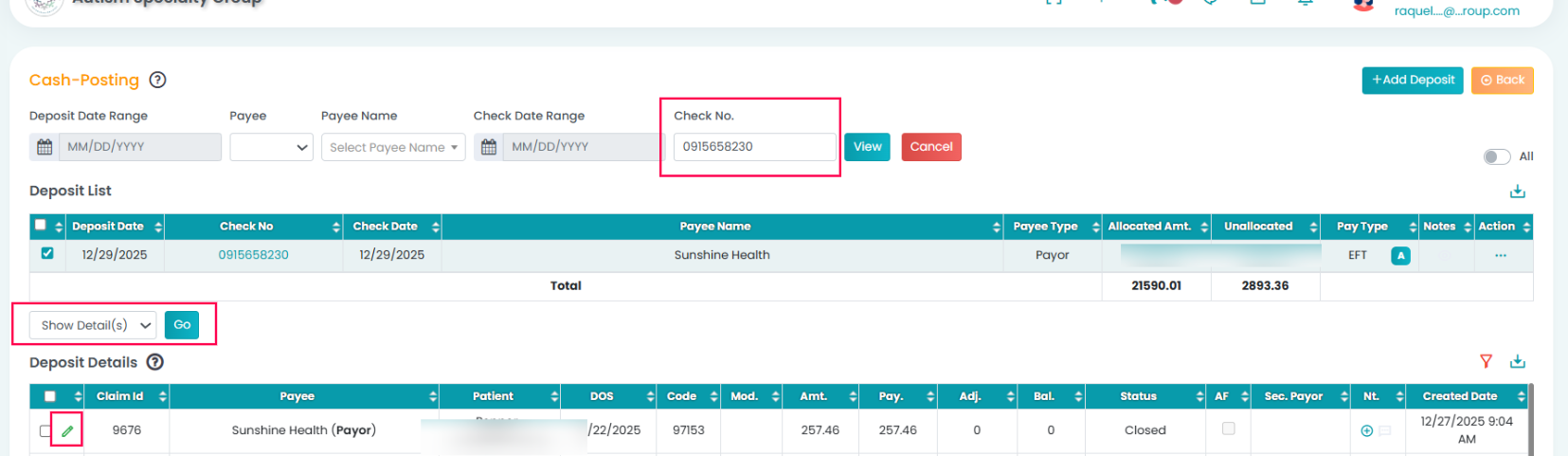
This will display all the claim numbers to which the payment was applied.
To review or edit an applied payment:
- Click the pencil (edit) icon next to a claim number. (Refer to the image above)
- Review the transaction details and make the necessary edits or adjustments.