
On TherapyPM, you can add the Prior Authorization (PA) number on your claims in two ways:
#1: For the New Claims
You can update the prior authorization number by editing the patient's authorization.
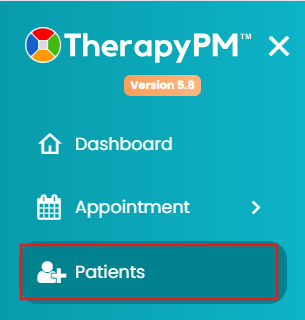
- Navigate to the Patients module and select the patient (scroll down or use the search bar).
- Click on Ins/Authorization and select the authorization from the list.
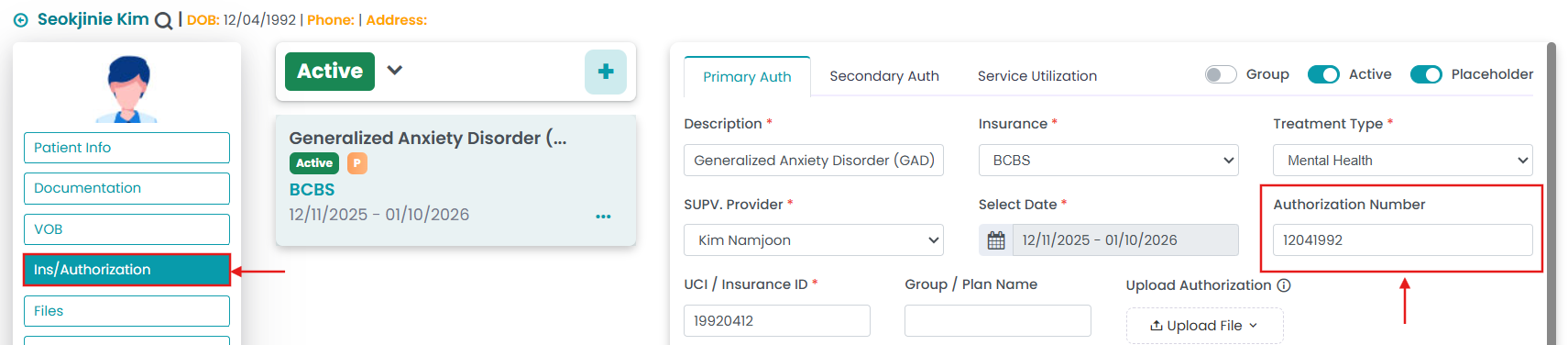
- Add or update the authorization number and save changes.
Once updated, you can generate billing again so the correct authorization pulls into the claim.
#2: For the Existing Claims
If your claim has already been generated, you can update the authorization number directly from the Primary Billing Manager.
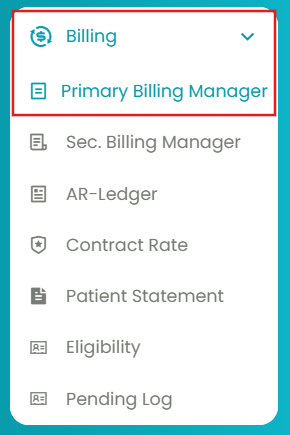
- Navigate to Billing > Primary Billing Manager.
- Go to the 2nd tab: Manage Billing, and use filters to generate the table.
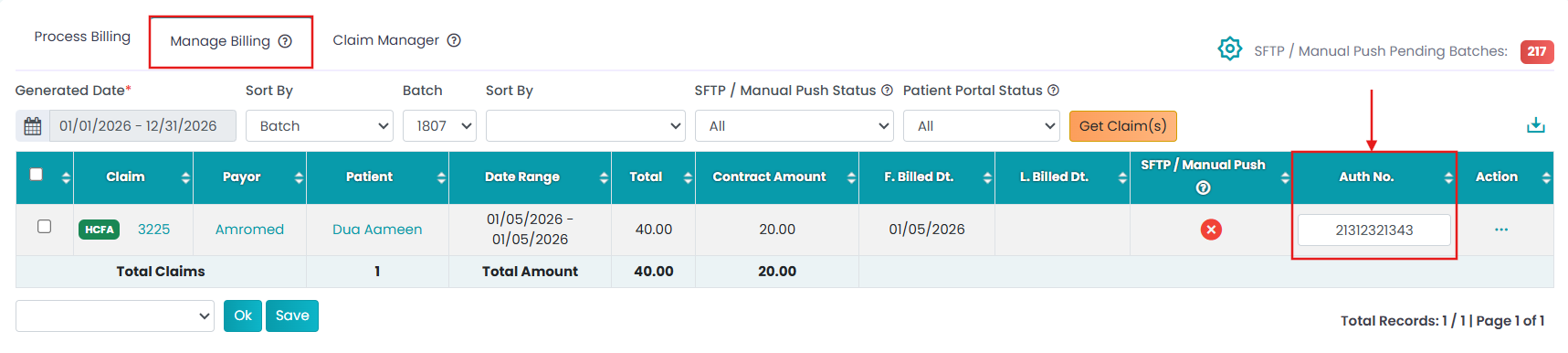
- Add or update your authorization number under the selected claim.
This allows you to update the authorization number directly and send the claim for billing again.