
The last two releases, versions 5.5 and 5.6, included several major and minor bug fixes along with backend logic updates. Below are the key global enhancements introduced in version 5.7.
ACH / Bank Accounts on File
A new ACH payment option has been introduced as an additional payment method.
ACH (Automated Clearing House) payments allow client payments to be processed directly from a bank account, eliminating the need to use a credit or debit card.
This option works alongside the existing credit card payment method and expands the available payment options for clients.
How to Use: Setup:
Navigate to the Client Profile.
Open the Payment Info tab.
Next to the Paystri Information tab, you will now see a new ACH List tab.
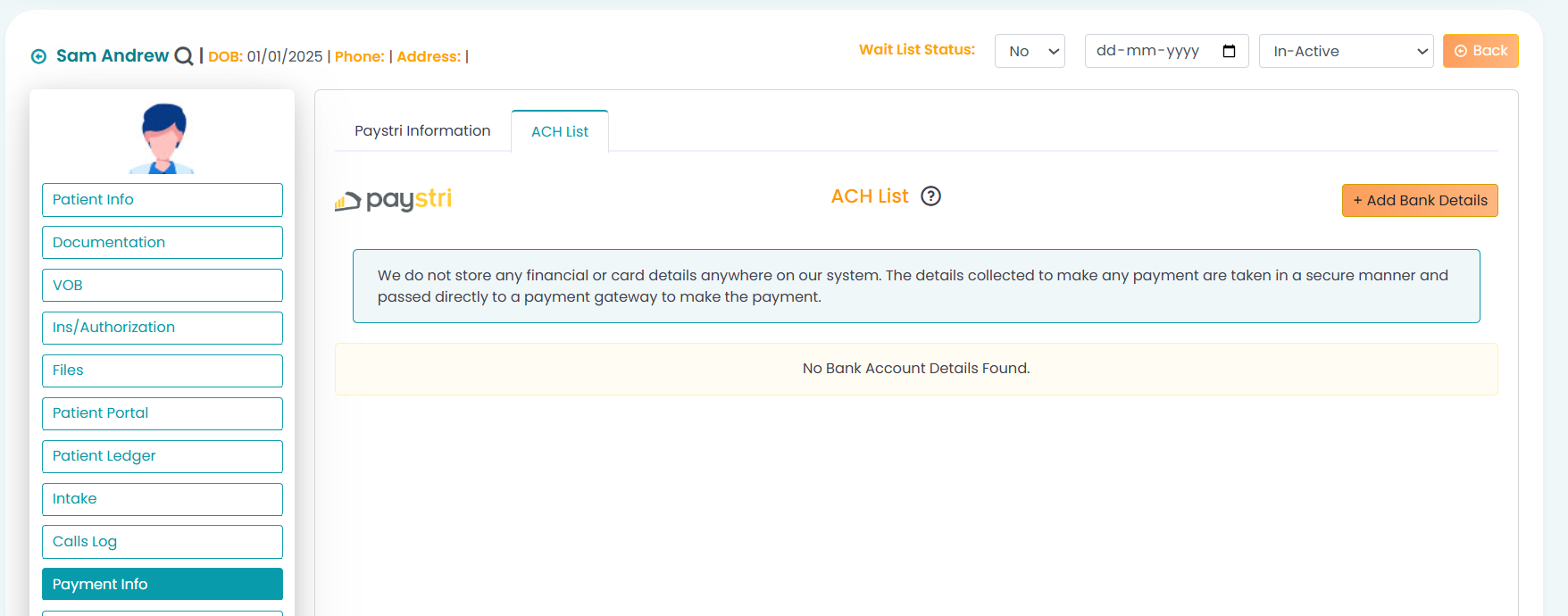
From the ACH List tab:
Bank details can be added from both the Admin Portal and the Client Portal.
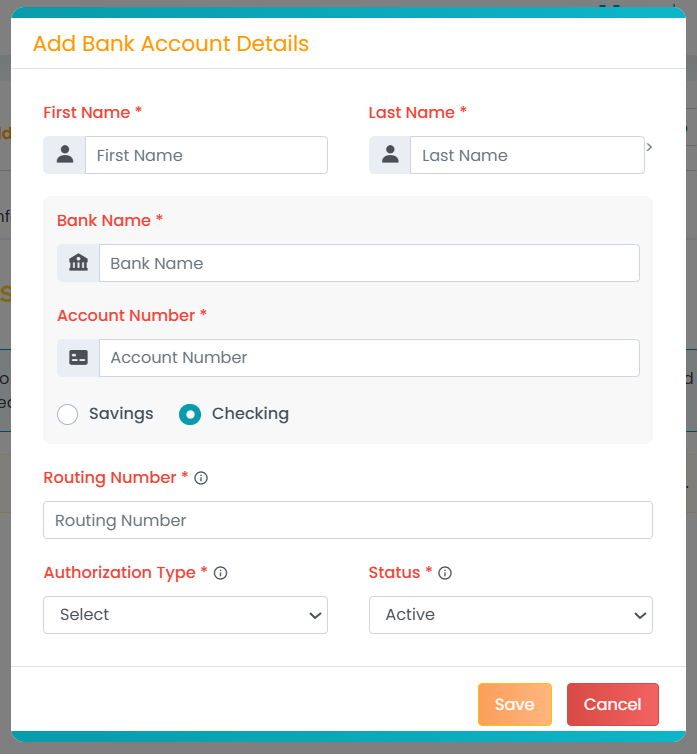
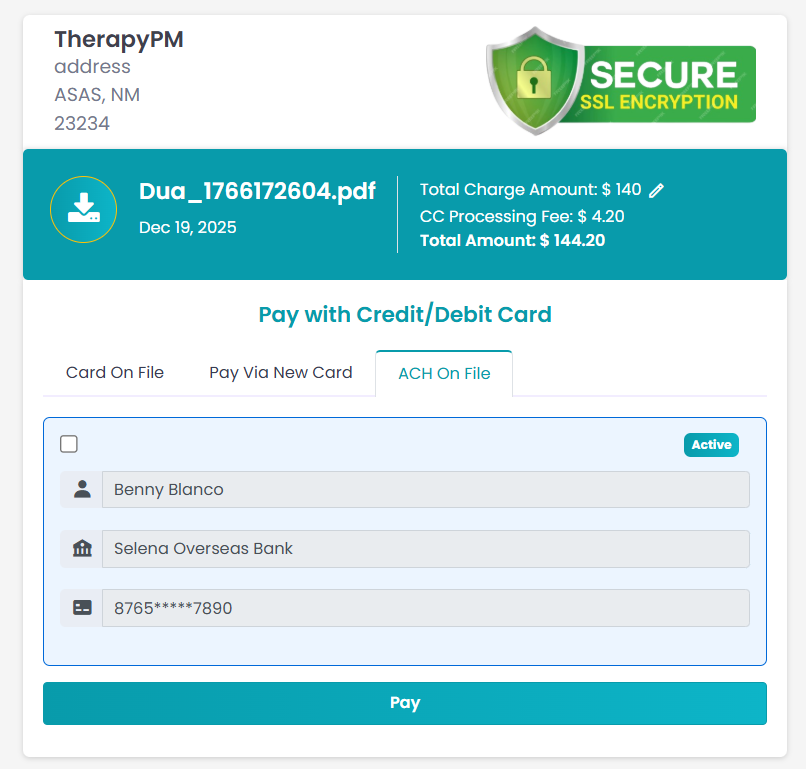
Making a Payment Using ACH
Once a bank account is added:
The ACH information will appear on the Payment page.
Clients can select the saved bank account and complete the payment using ACH.
Private Pay Enhancement
A new Private Pay feature has been introduced to improve billing behavior for self-pay workflows.
You can now create appointments as Private Pay, which will automatically be processed as a Patient/Guarantor invoice.
How to Use Private Pay
Log in to TherapyPM.
Navigate to the Add Appointment page.
Select the No Auth Appointment option.
Enable the Private Pay toggle to mark the appointment as Private Pay.
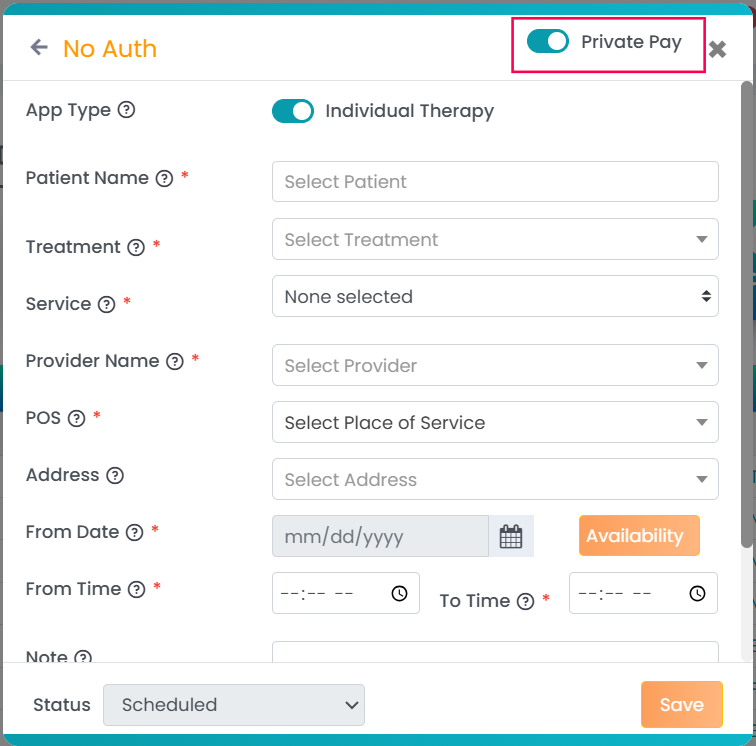
- Once the session is completed and processed in billing:
A Private Pay invoice is automatically created.
The invoice is generated even if the client has other insurance listed in their profile.
Note: In TherapyPM, Private Pay appointments always bill as the Patient/Guarantor. No other customized private payers from the payer list are supported.