
The CRM automates your intake paperwork process from the moment a lead is created. This ensures your team always knows what forms are needed and which ones are still pending without chasing email threads or physical paperwork.
Types of Intake Documents
The CRM supports three different document formats. Each one is handled slightly differently:
1️. Standard Templates
- Pre-built digital intake forms from TherapyPMS.
- Clients complete them directly through a secure link.
2️. Custom Forms
- Documents created uniquely for your practice.
- Fully supported for online completion and upload.
3️. Schema Forms
- PDF documents that must be downloaded → filled out → re-uploaded.
- Used when insurers or programs require their own form version.
How Document Workflow:
For the Lead
Required documents are assigned when the lead is created
Automated emails send a secure upload link
The family completes and uploads from any device
All completed documents are automatically synced to app.therapypms.com
(No double-entry or manual transfer needed!)
For Your Staff
Watch document progress directly on the Kanban dashboard
Go to the Documents page for real-time status updates
Download completed documents when needed
Resend upload links if the family loses them
Understanding Document Status Badges:
How to Create a Badge:
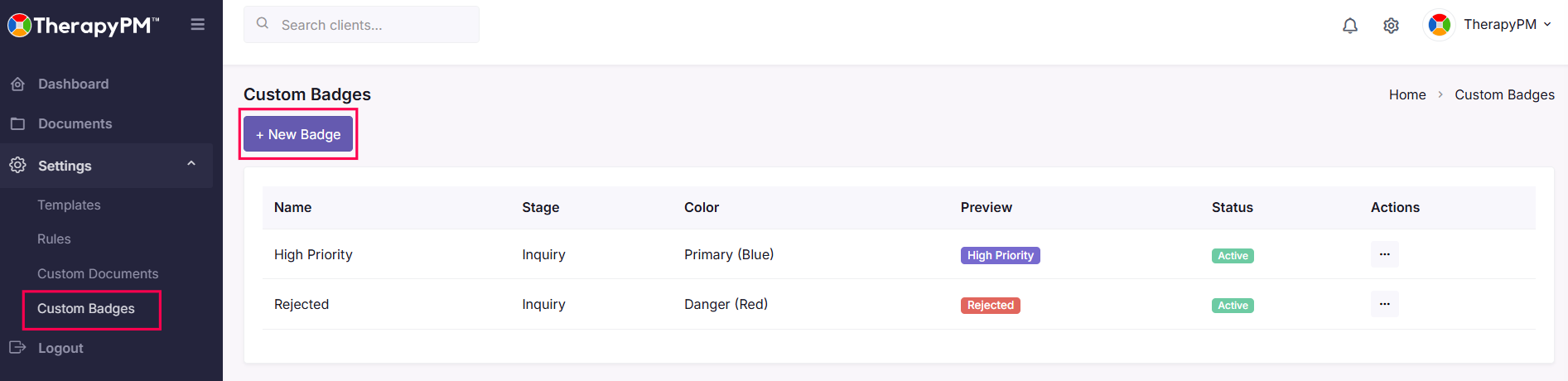
1️. Go to the Settings section from the left navigation menu.
2️. Click Custom Badges or + New Badge.
3️. Enter a Badge Name: Choose something clear and useful
4️. Add a color each lead card displays a badge so you can instantly assess document progress
5. Add a Sort order.
6️. Click Create to finalize.
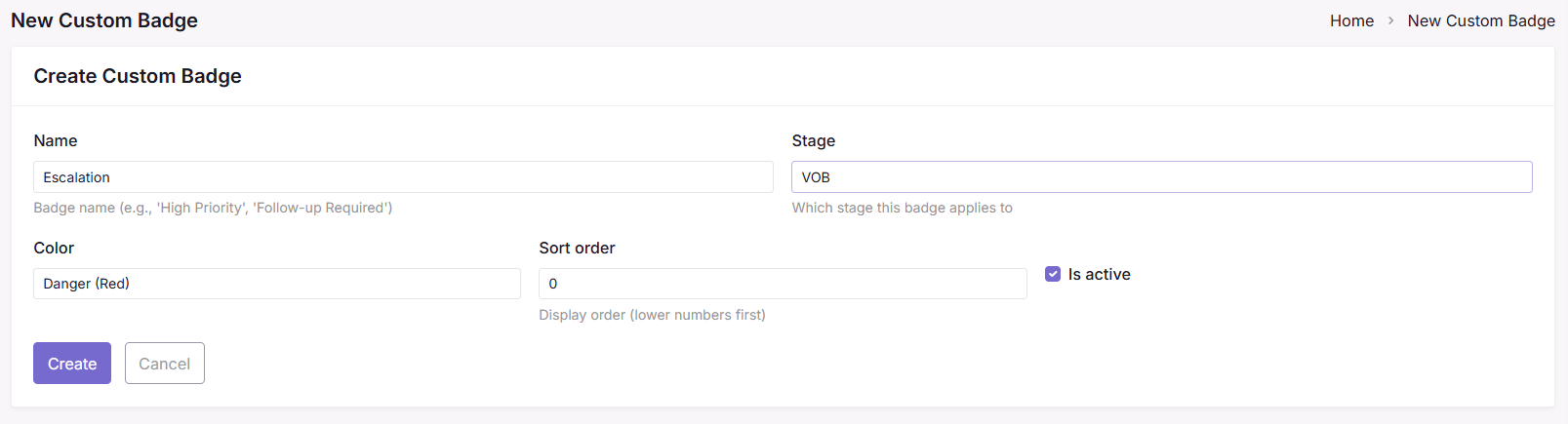
These badges help prioritize follow-up without needing to open each individual record.