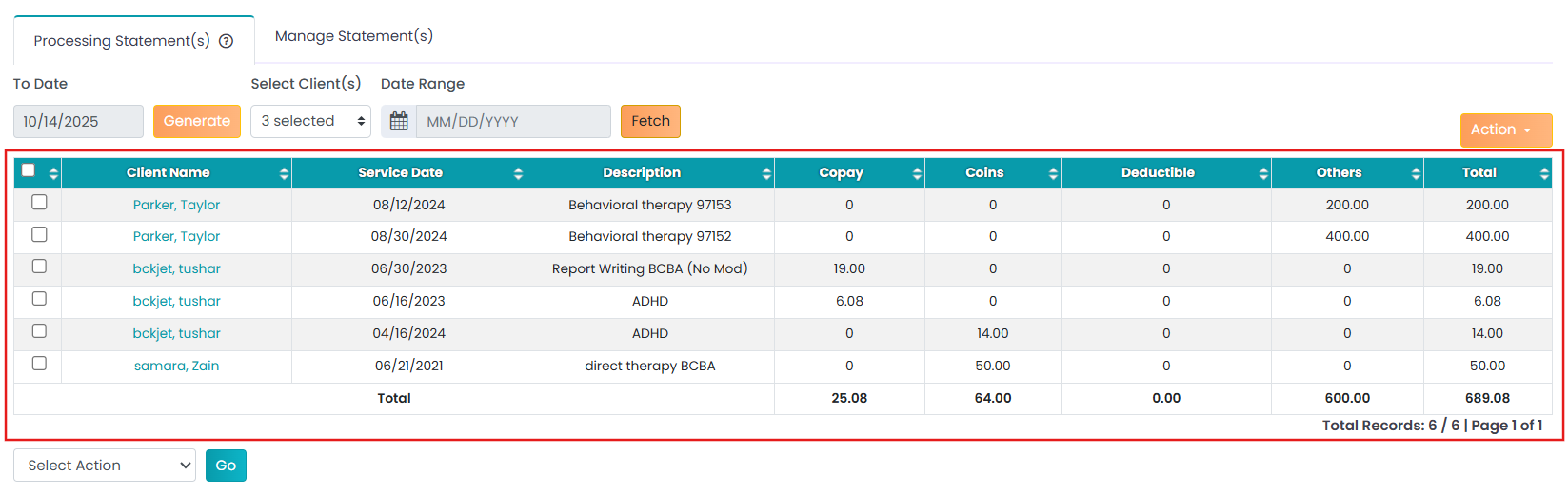
To sort the patient statements by date range:
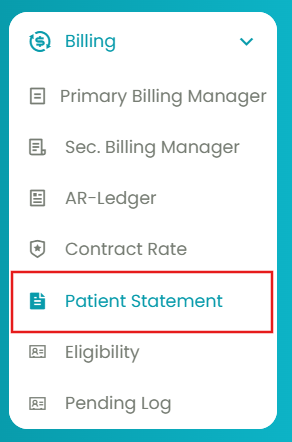
- Navigate to Billing > Patient Statements.
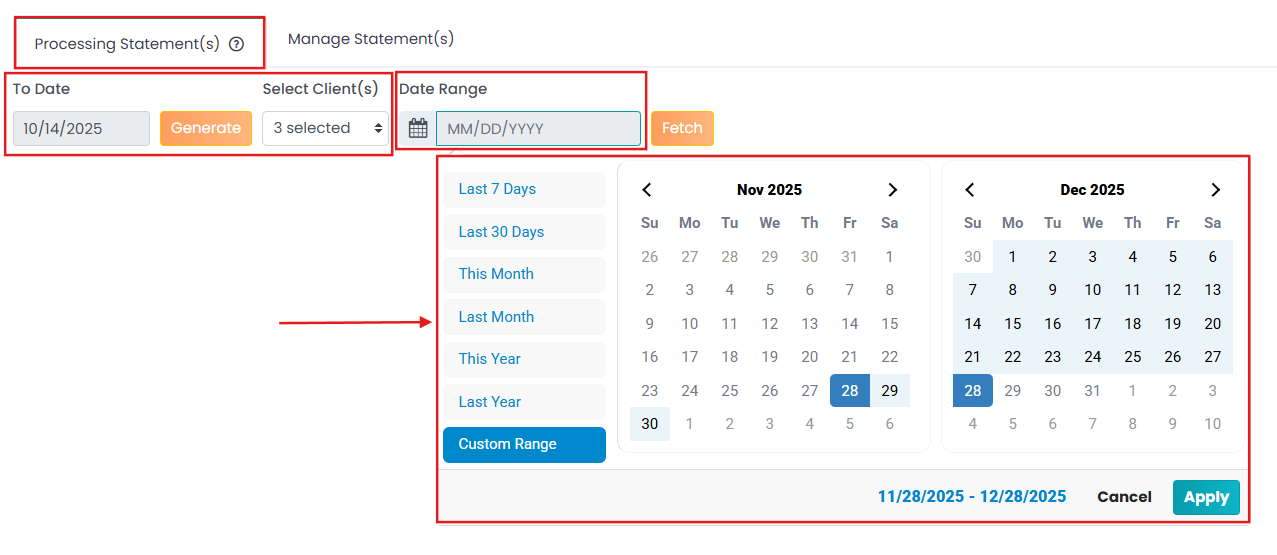
- Click on the 1st tab: Processing Statement(s).
- Generate the patient statements list using the "To Date" filter.
- To further filter the patient statements, select client(s) and the date range.
You can view the list of patient statements generated by the date range.