
In the AR Ledger – Claim Wise module, you can use the Sort By dropdown to organize claims by Claim, Patient, or Insurance. This helps you view and group claims based on how long they have been outstanding, making it easier to track aging and follow up efficiently.
To sort out claims in the AR Ledger:
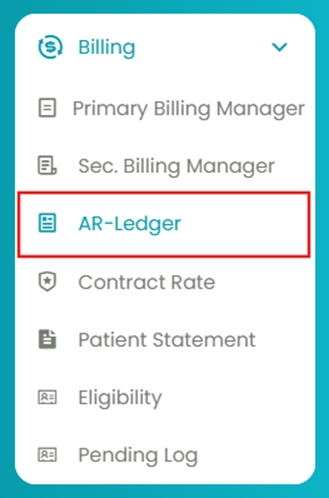
- Navigate to Billing > AR Ledger.
- Click on the 1st tab: AR Ledger - Claim Wise.
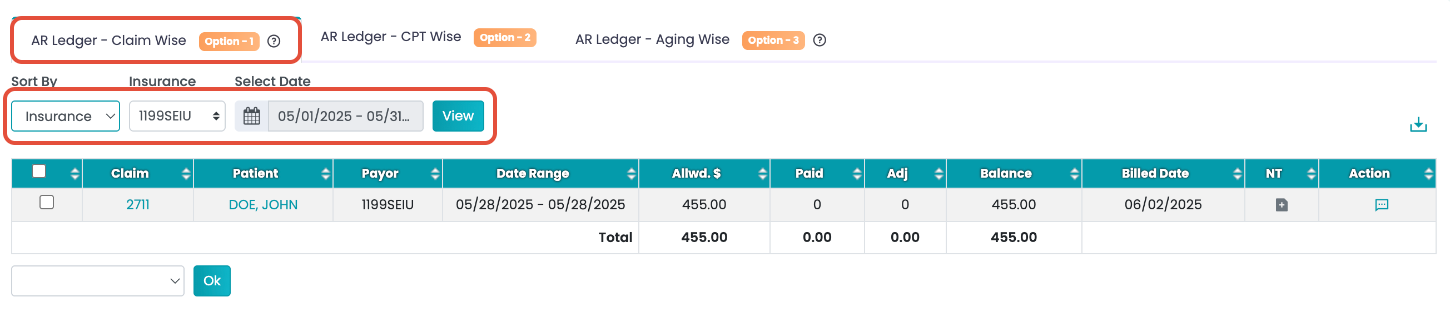
- Use the filters to sort by insurance, claims, or patient. Additionally, select the insurance and the date.
You can now see the generated claims list.