
To view corrected claims: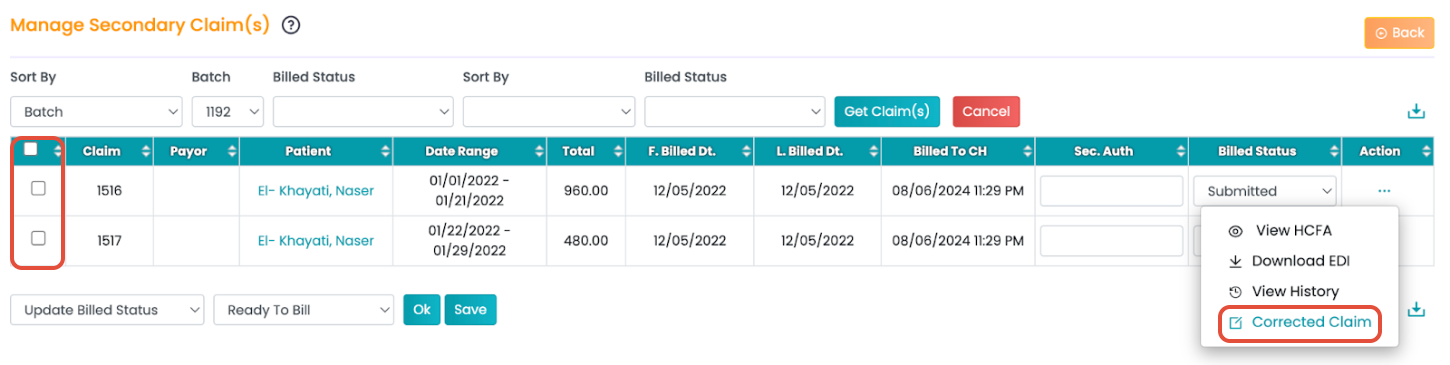
- Navigate to Billing > Secondary Billing Manager.
- Use the filters to generate the claims table.
- Click on the three horizontal dots (...) under the Actions column.
- Select Corrected Claim.
This will display all claims that were adjusted and resubmitted after corrections were made.