
To review all past updates, actions, and status changes for a secondary claim: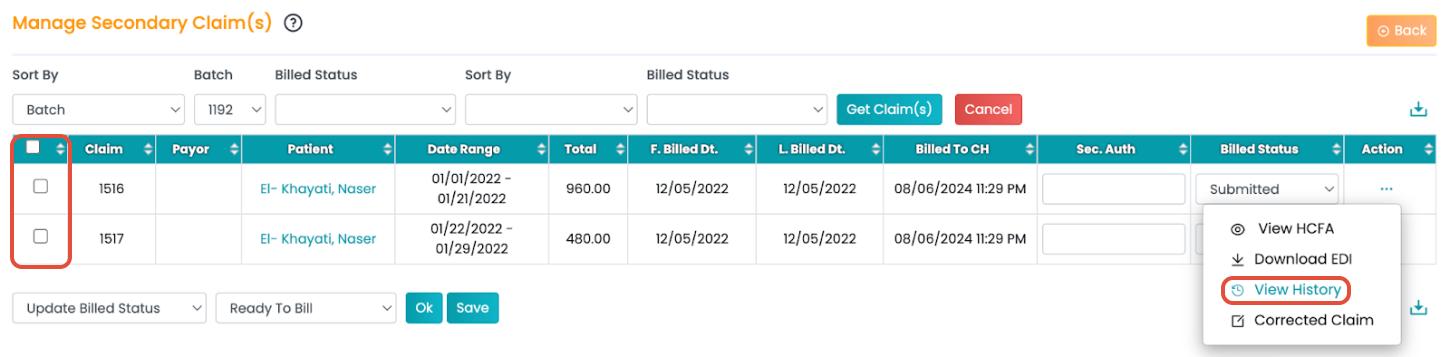
- Navigate to Billing > Secondary Billing Manager.
- Use the filters to generate the claims table.
- Click the three horizontal dots (...) under the Actions column.
- Select View History.