
TherapyPM allows you to download an EDI file, which contains all the claim information submitted to the secondary payer.
To download the EDI: 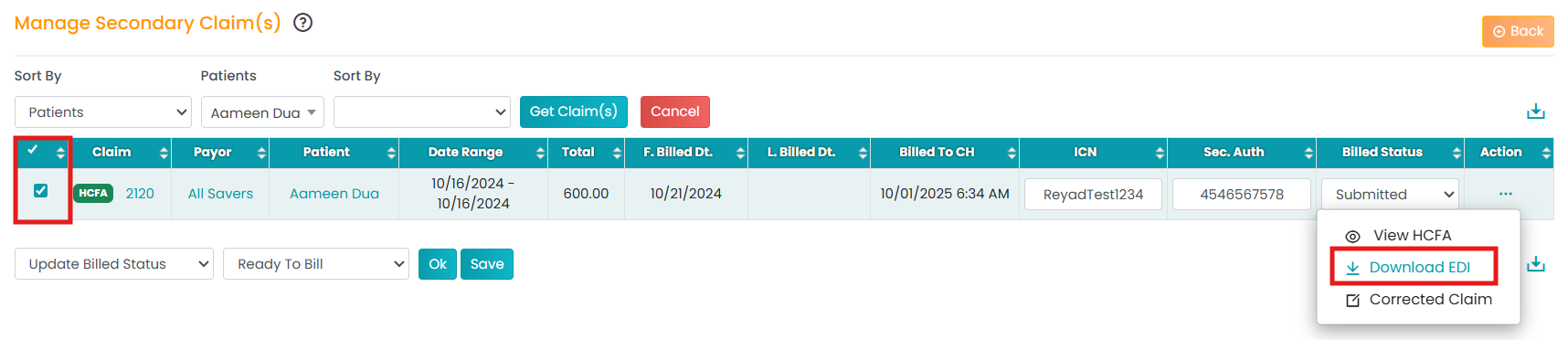
- Navigate to Billing > Secondary Billing Manager.
- Use the filters to generate the claims table.
- Click the three horizontal dots (...) under the Actions table.
- Select Download EDI.
The EDI file will now be downloaded into your system.