
To generate a CMS-1500 form without the red HCFA background, follow these steps: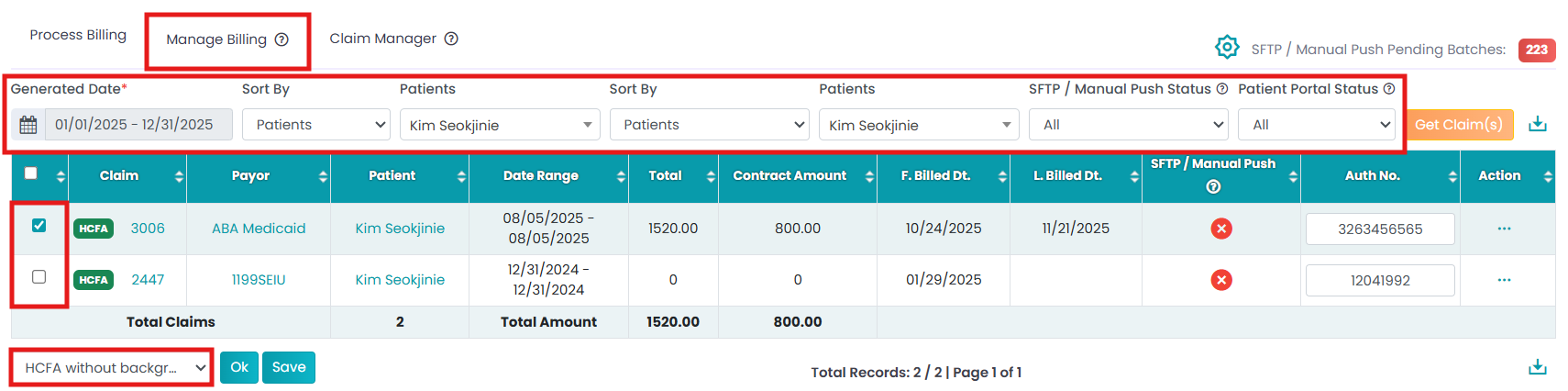
Navigate to Billing > Primary Billing Manager > Manage Billing (2nd tab).
Select the claim using checkboxes. Again, select the "HCFA without background" option from the drop-down.
Once you click OK, the system will generate a CMS-1500 form without the standard background, which is ideal for printing on pre-printed red CMS-1500 forms.
This version ensures the form aligns perfectly with the pre-printed HCFA template used by many billing offices and clearinghouses.