
The HCFA with Background option allows you to generate a CMS-1500 claim form with the official red background pre-printed on it. This is useful when a payer requires the claim on the original red form layout.
Here’s how you use it inside Manage Billing: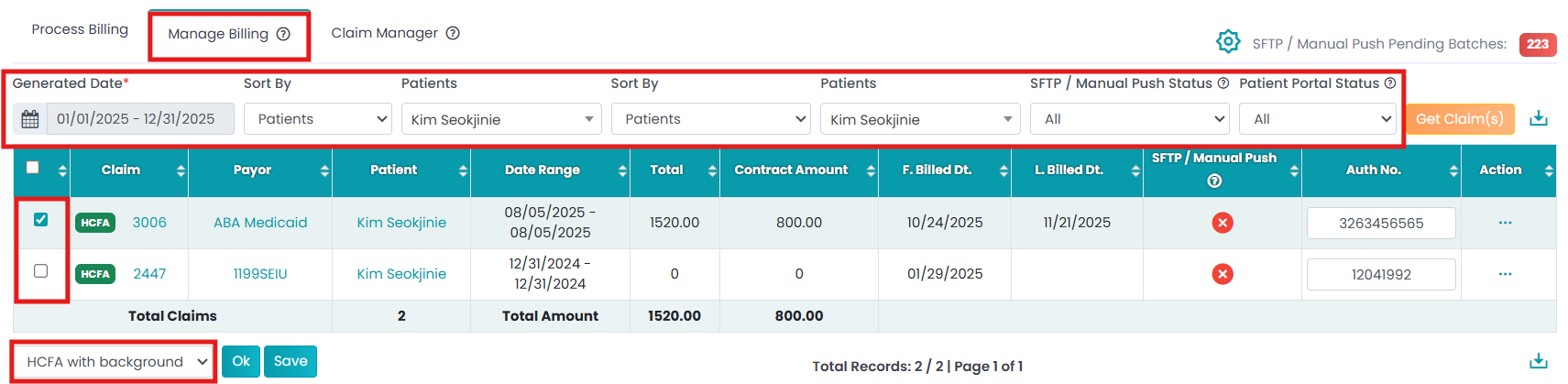
Navigate to Billing > Primary Billing Manager > Manage Billing (2nd tab).
Use the filters to generate the list.
Select the claim using checkboxes. Again, select the option HCFA with Background from the drop-down.
If you select OK, you can view the HCFA form.