
To download the list of generated claims in Primary Billing:
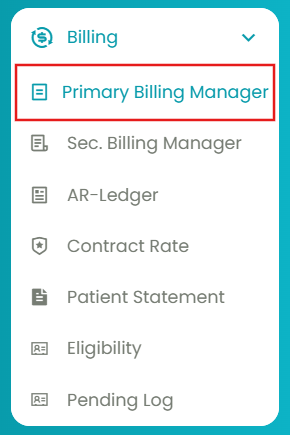
- Navigate to Billing > Primary Billing Manager > Process Billing (1).
- Use the "To Date" filter and click Generate. Also, select the other filters that come along and generate the table.
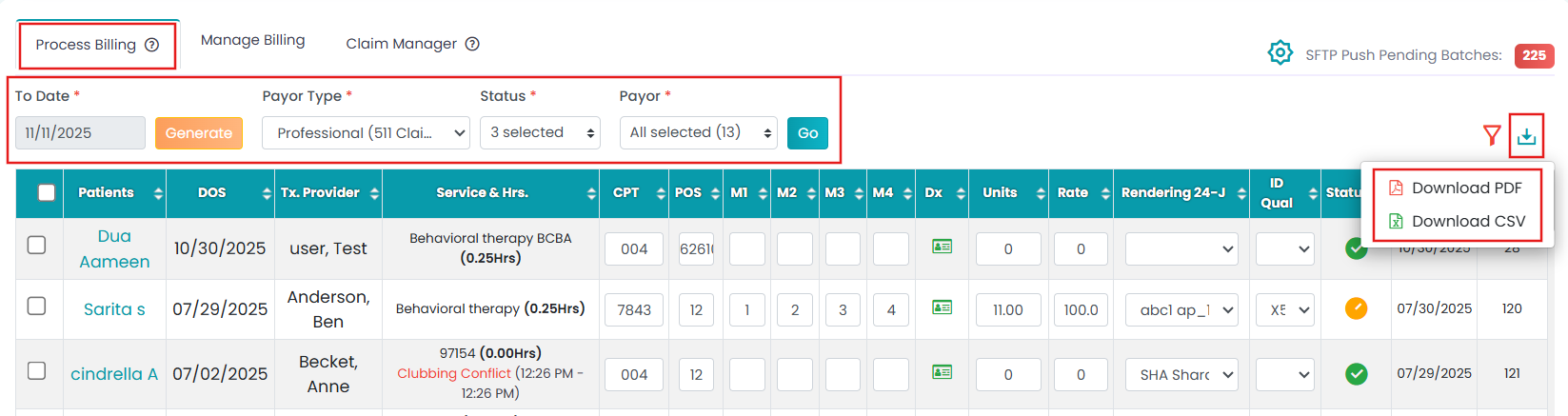
- Click the Download icon (top right).
- Select whether you want to download the claims in PDF or CSV format.
- The downloaded file will be available in the Download Tray. Click on it to download it to your computer.
