
This article explains how to create and manage patient goal & intervention.The Documentation option under the Patients module allows you to manage session notes linked to patient appointments. Under Documentation, the Goals & Intervention tab at the top allows you to create, view, and edit short-term, long-term goals or interventions for the selected patient.
Manage Client Goals & Intervention
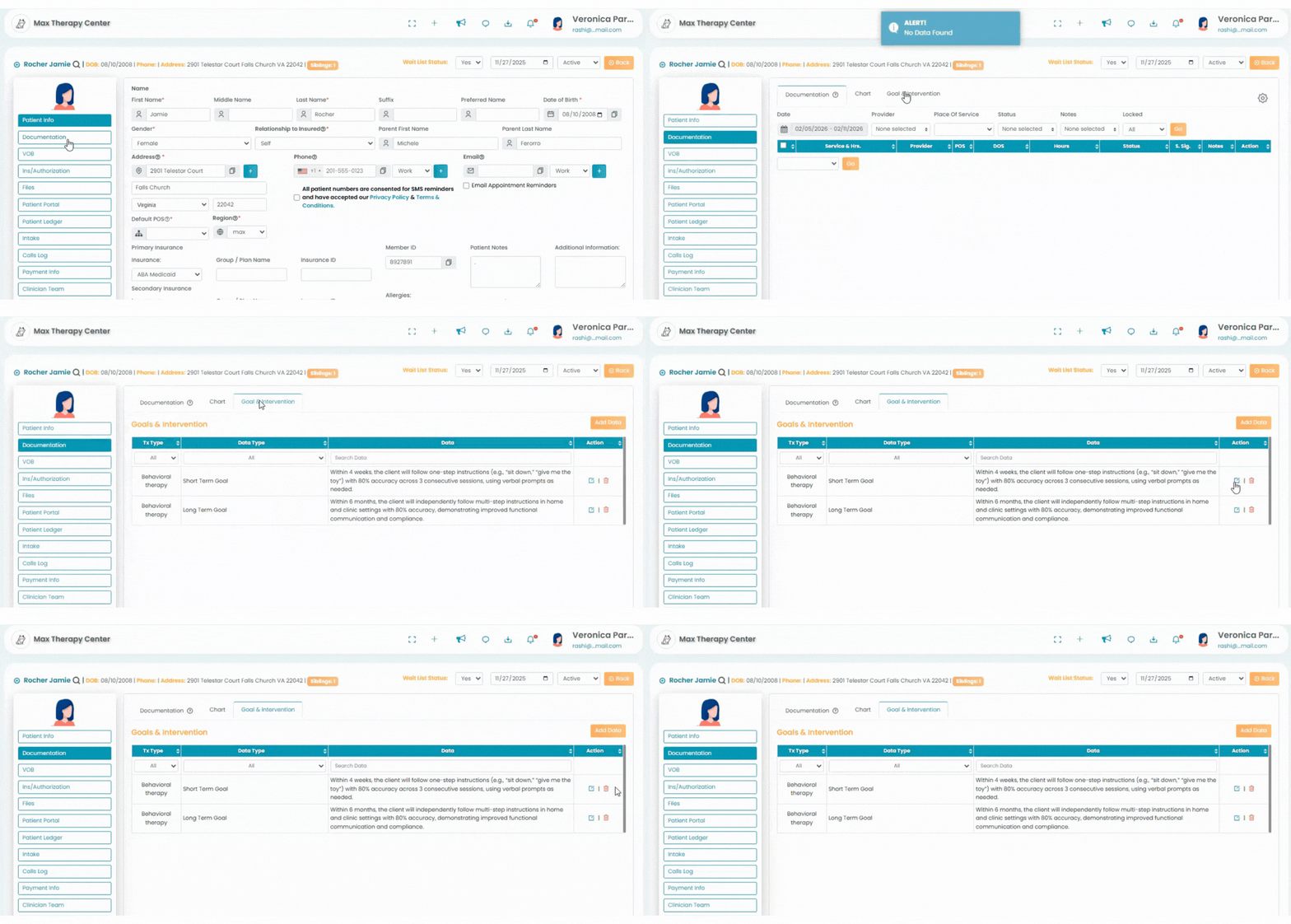
- Navigate to the Patients profile. Access the "Documentation" tab, Then Click the Goals & Intervention tab at the top.
- The added goals and intervention will be available in the table and the top row can be used as a search bar.
- Action Column:
- Edit Option: To edit the added goals and intervention, click the pencil icon.
- Delete Option: Click the delete icon to delete the corresponding goal or intervention.
Add New Data
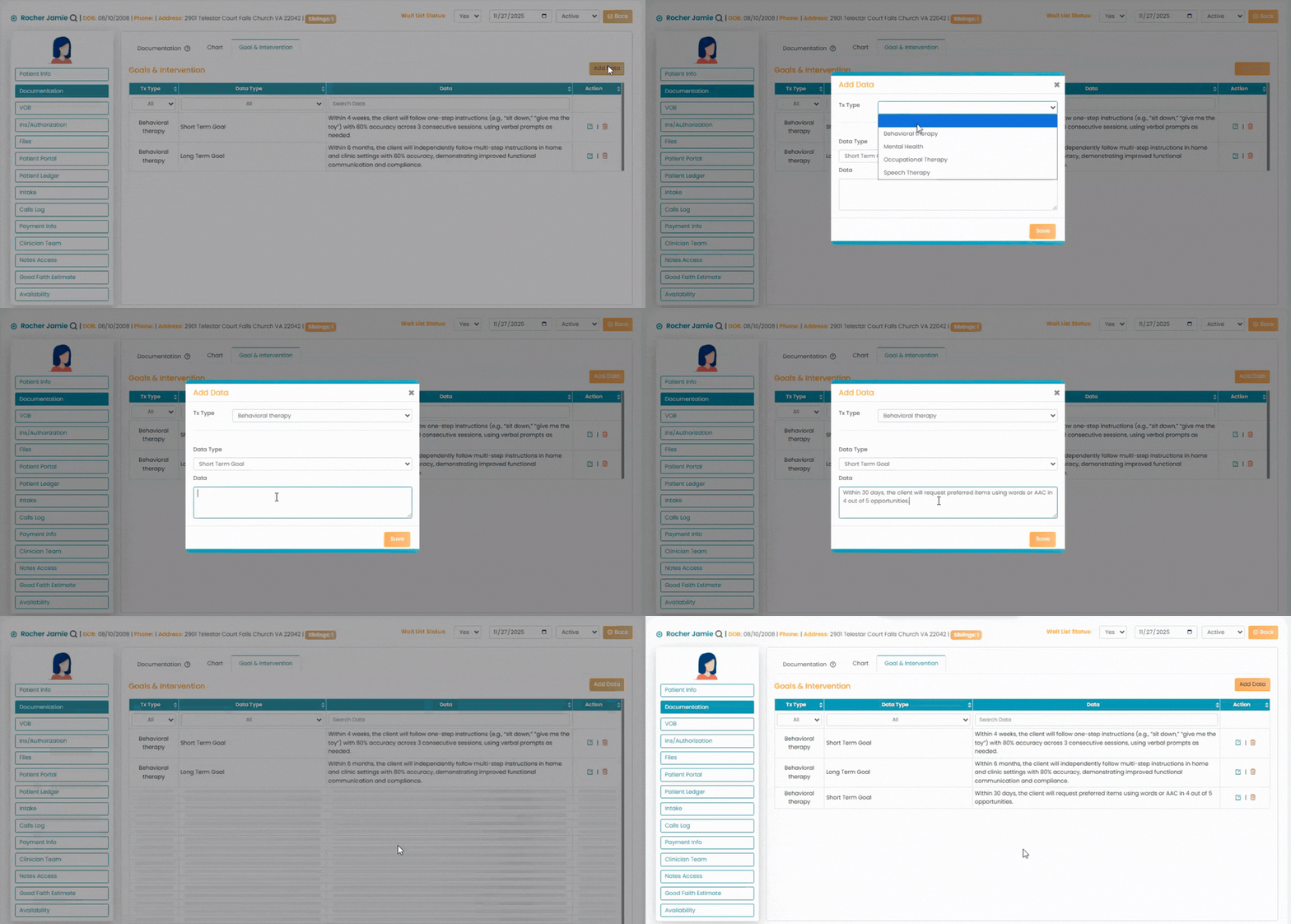
- Click on Add Data button in the module.
- In the Add Data screen, select the type of therapy under TX Type.
- Data Type - Select between short term, long term and intervention options.
- Data - Enter any relevant information.
- Click the Save button.