
- Log on to the TherapyPM portal using the link: https://app.therapypms.com/.
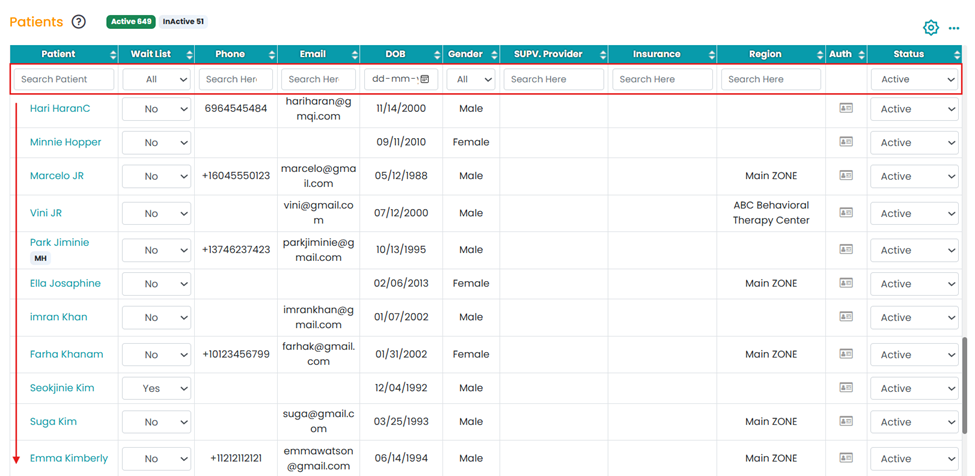
- Navigate to the Patients module and select the patient (scroll down or use the search bar).
- Under “Phone”, click on the blue “+” icon.
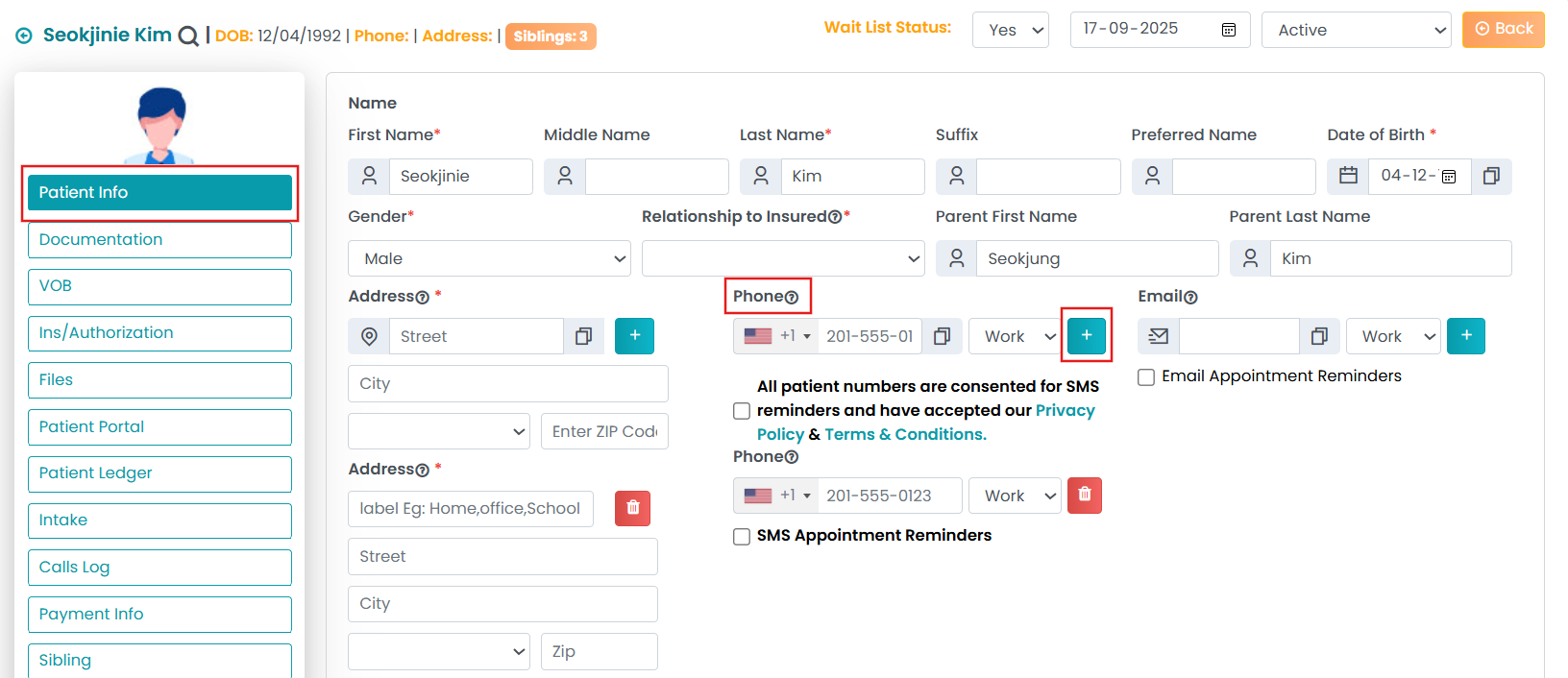
Similarly, you can add more phone numbers by just clicking on the blue “+” icon.