
To add late charges to an invoice, follow the below steps:
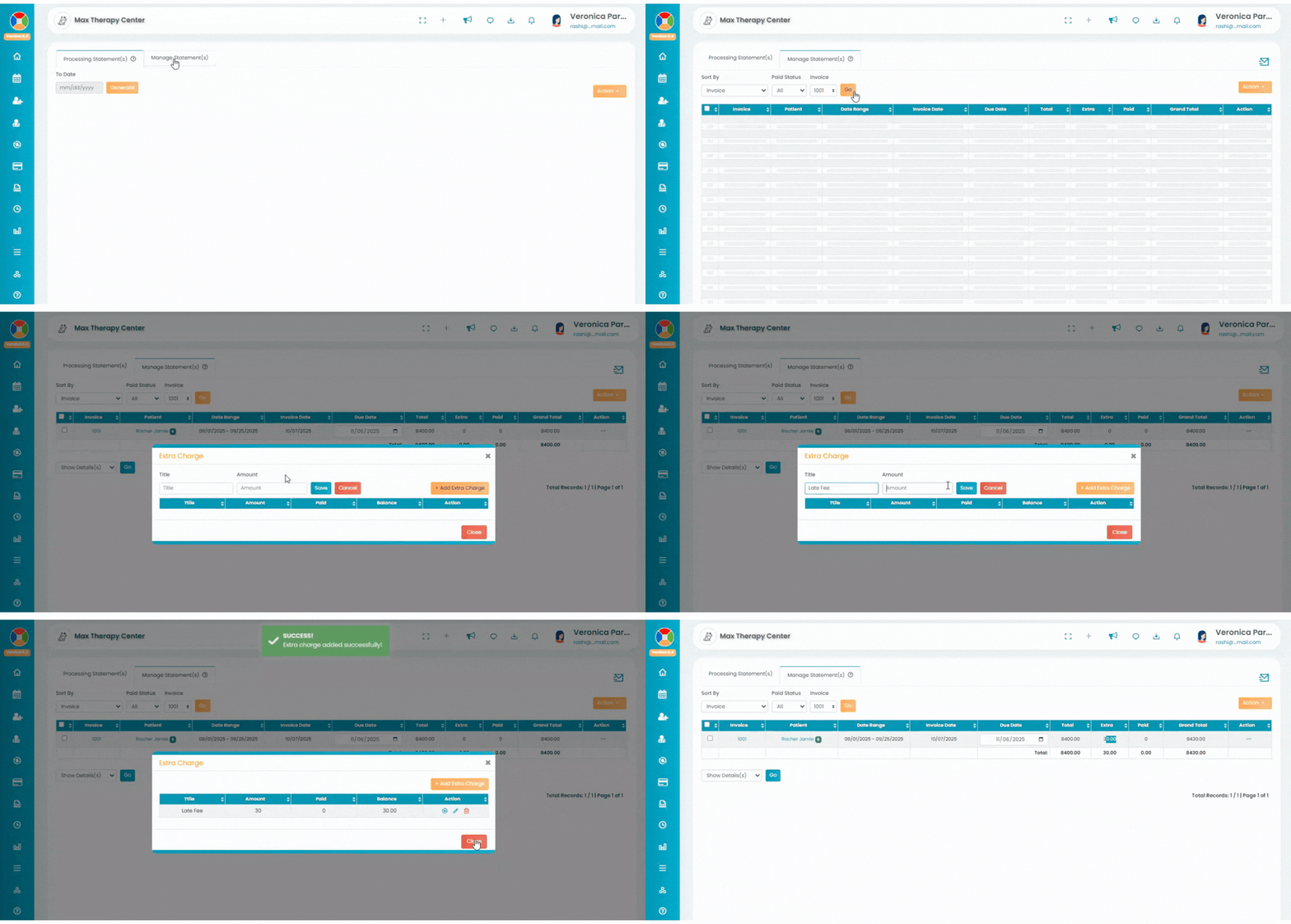
Navigation:
- Go to Billing > Patient Statement > Manage Statements.
- Access the respective invoice where you need to add late charges.
Add Extra Charge:
- Click on the three dots under the Action column.
- Select Extra Charge(s) from the dropdown menu.
- Click on Add Extra Charges
- Enter the Reason and the respective late payment amount, then confirm.
- Edit or Delete Late Charges (if needed):
Print Updated Invoice:
- The late payment charge will now be added to the invoice.
- Print or resend the invoice as needed.