
Deleting recurring sessions in TherapyPM is quick and easy using the Appointments module. You can delete an entire recurring pattern, individual sessions, or multiple sessions at once.
There are three ways to delete recurring sessions:
- Delete the entire recurring series
- Delete sessions from Day View
- Delete sessions from Single View
Delete an Entire Recurring Series:
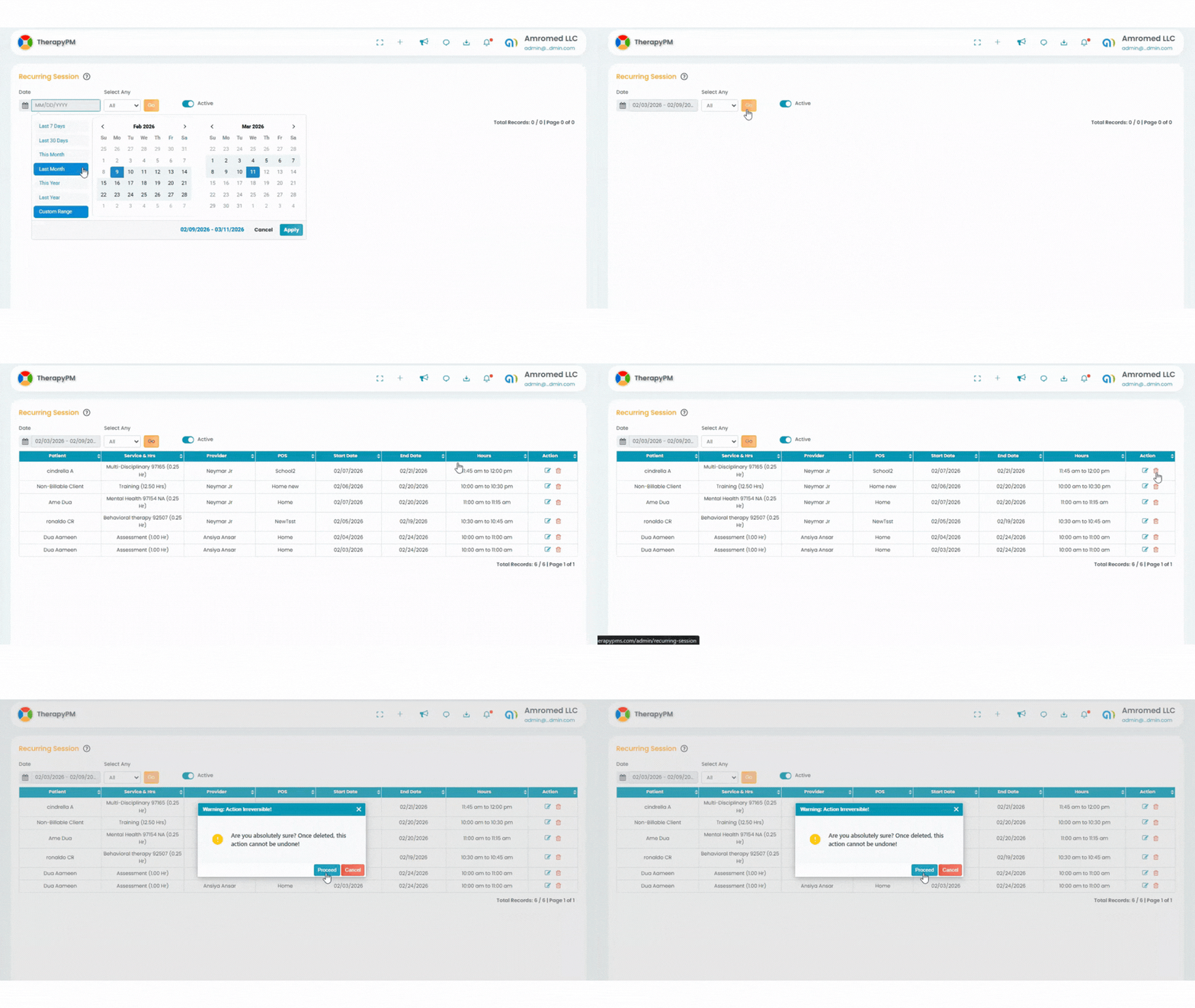
Navigate to Appointments > Recurring Session.
Select the required date range and filter by provider(s) or patient(s).
Locate the recurring session.
Click the trash icon in the Actions column.
Confirm the deletion to remove the entire recurring pattern.
Delete Sessions in Day View:
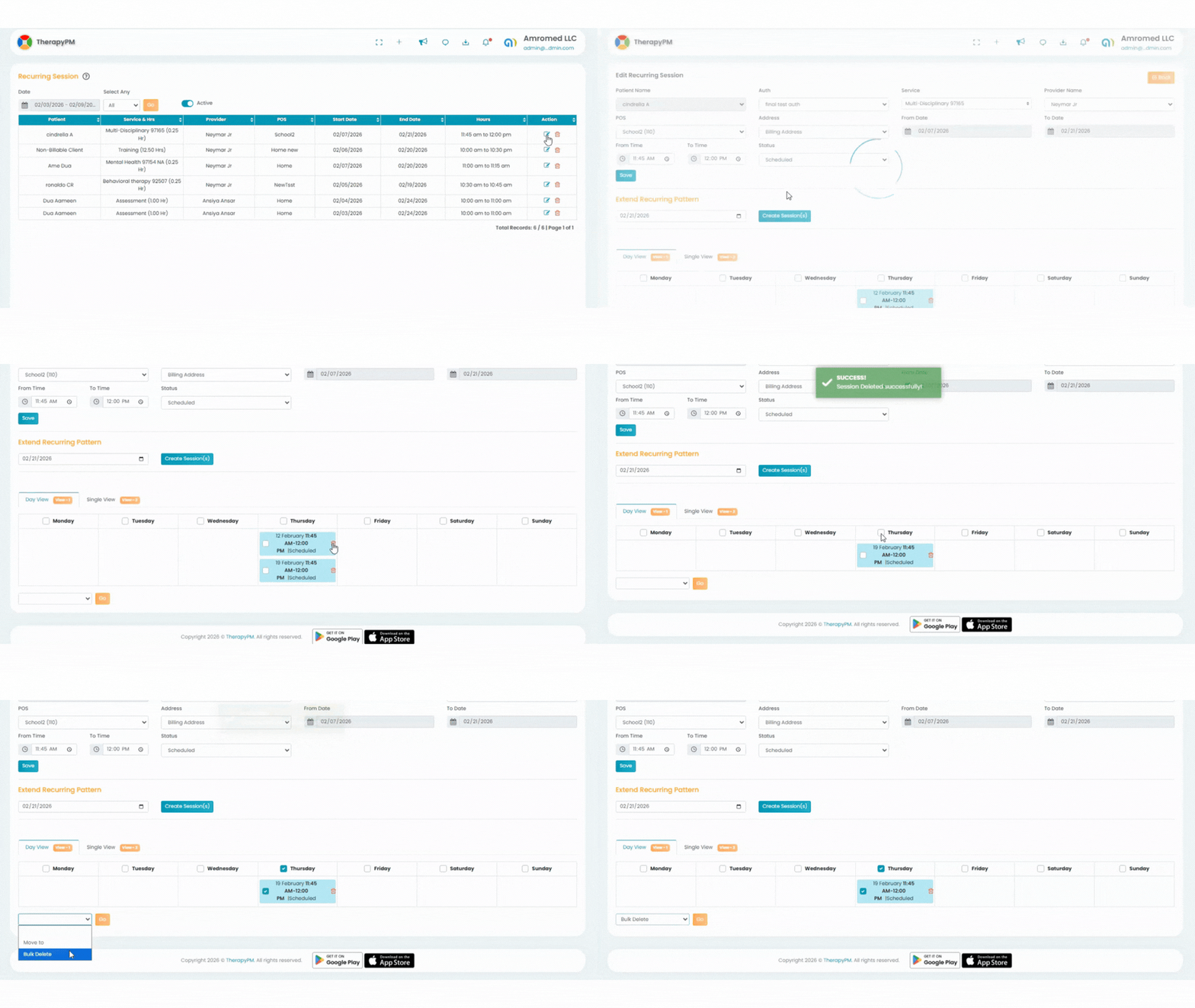
Click the Edit button to open the recurring pattern.
Scroll down to access the Day View.
Click the red trash icon next to the session you want to delete.
A confirmation notification will appear once the session is deleted successfully.
Bulk Deletion in Day View:
Select multiple sessions using the checkboxes.
Choose Bulk Delete from the dropdown menu.
Click Go.
A confirmation notification will appear after successful deletion.
Delete Sessions in Single View:
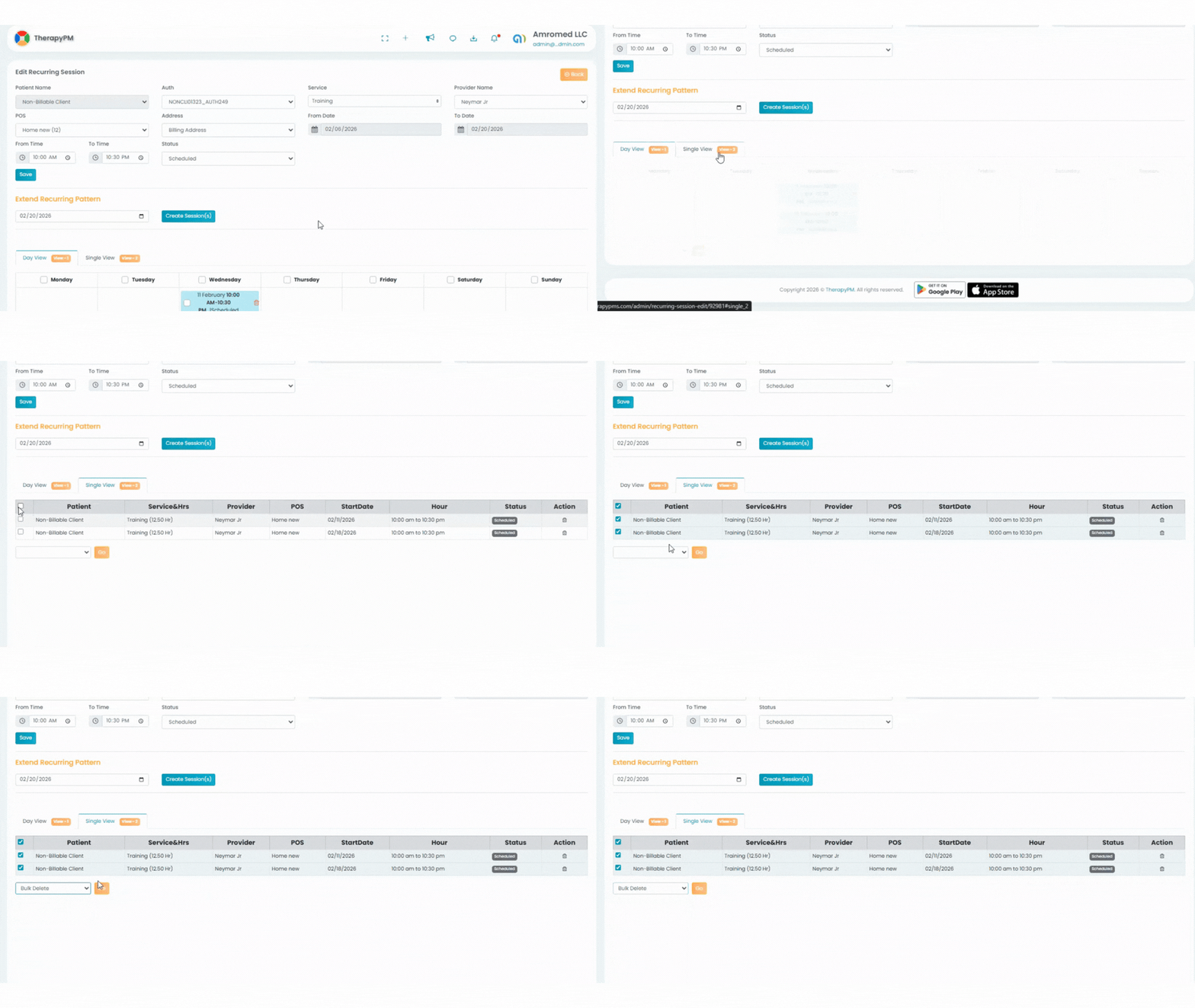
Click the Single View tab.
Click the trash icon in the Actions column next to the session.
A confirmation notification will appear once deleted.
Bulk Deletion in Single View:
Select multiple sessions using the checkboxes.
Choose Bulk Delete from the dropdown menu.
Click Go to complete the deletion.