
To ensure a claim appears on patient statements, you must update the payment status . This guide outlines the steps to properly manage the deposit and update the status.
Steps to Update Payment Status:
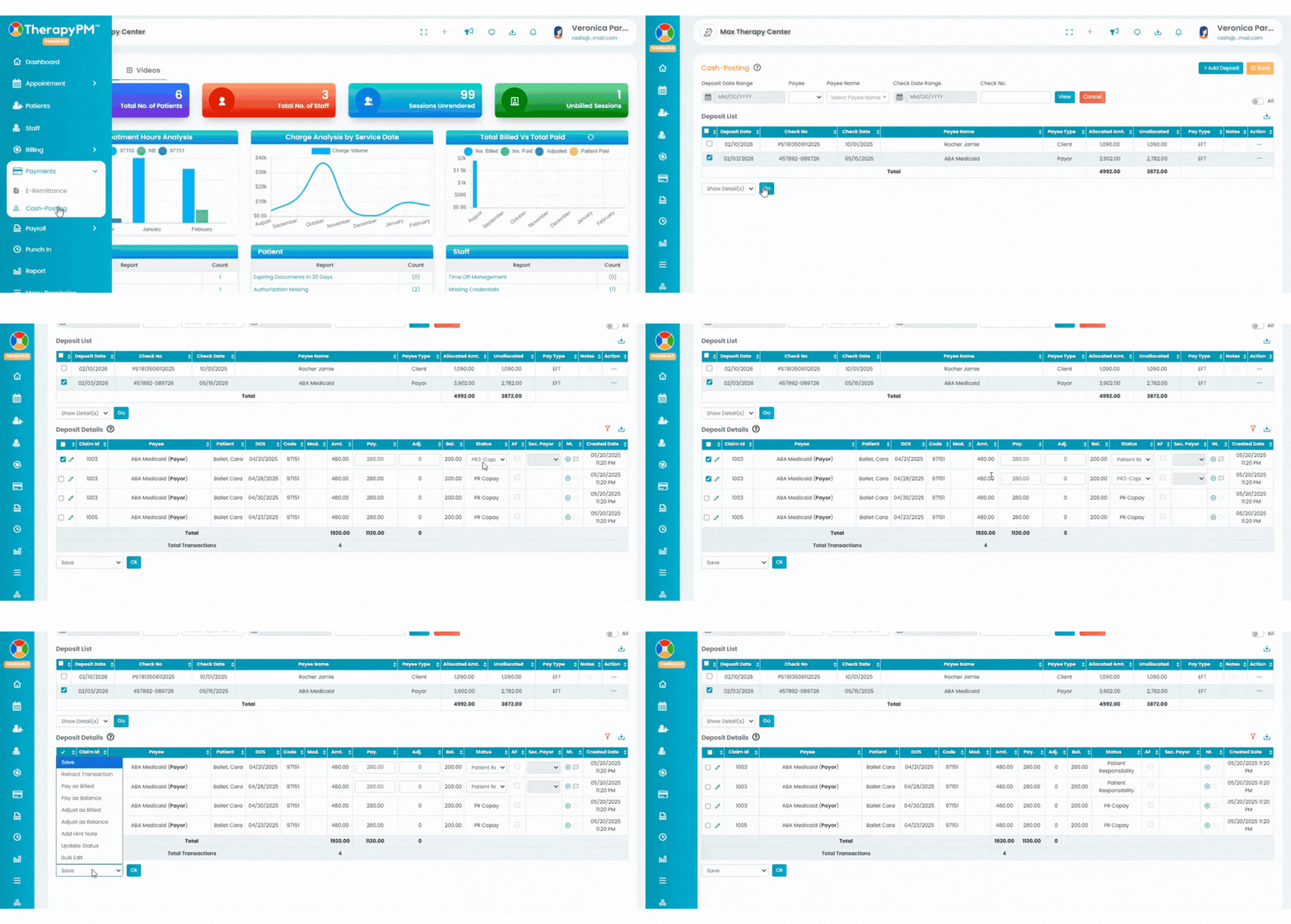
Navigate to the Payment > Cash Posting.
Locate the deposit you want to update.
Select the session and click Show Details from the dropdown.
Click on the pencil icon to edit the line items.
Update the status and save.