
You can ensure the Rendering Provider Taxonomy populates on the HCFA form using the following methods:
Method 1: Staff Setup (Provider Level)
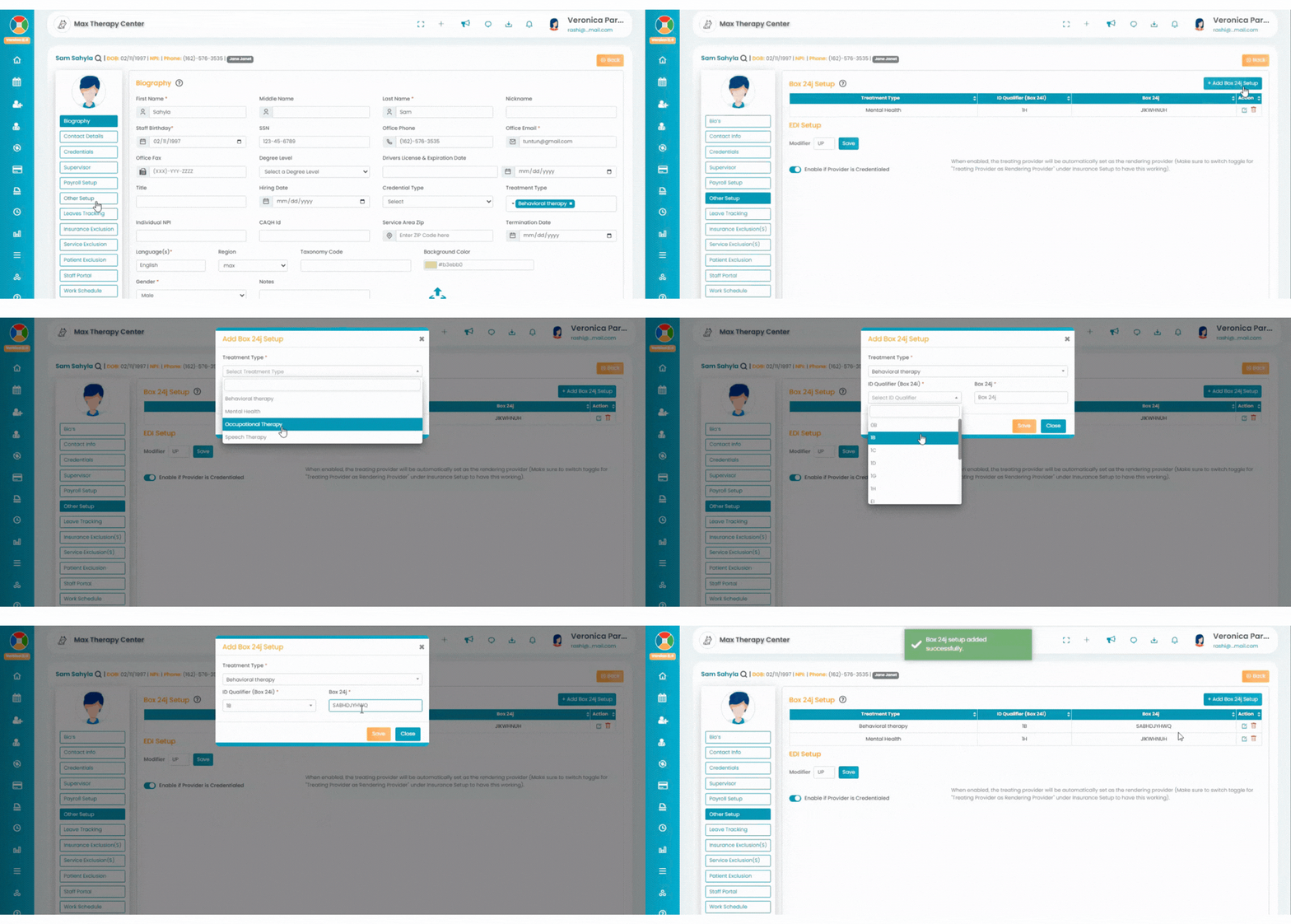
- Navigate to the Staff section.
- Click on the relevant staff member and go to the Other Setup tab.
- Enter the taxonomy details in the appropriate field.
- Add "ZZ" in the ID Qualifier field to ensure it populates correctly.
Method 2: Billing Setup (Insurance Level)
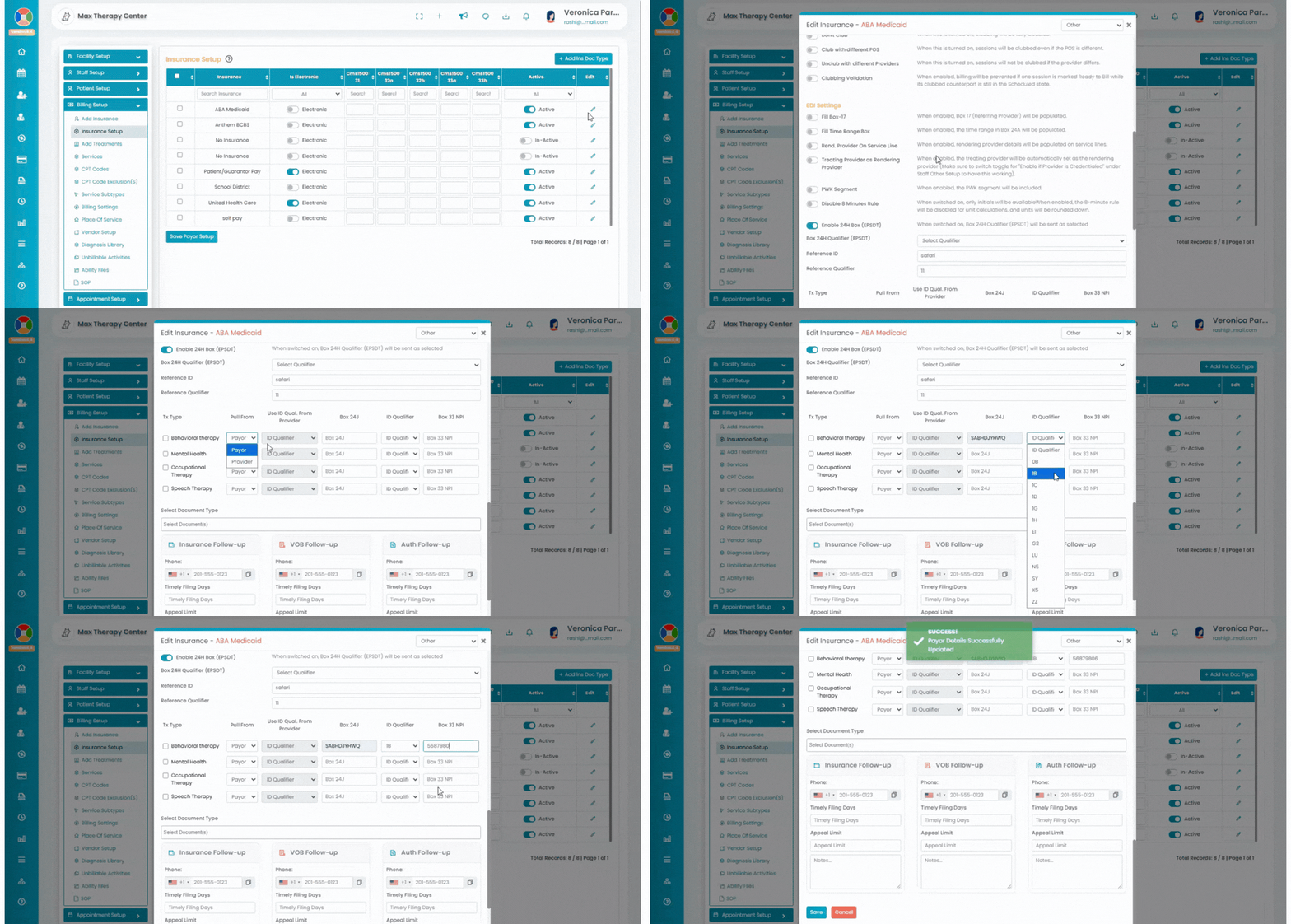
- Go to Settings > Billing Setup > Insurance Setup.
- Access the insurance you would like to configure. Please note that this setup will apply only to the selected insurance claims.
- Click the pencil icon under the Edit column for the specific insurance.
- Scroll down to locate the field for taxonomy details.
- Enter the taxonomy details and add "ZZ" in the ID Qualifier field.
By completing these steps, the Rendering Provider Taxonomy will populate correctly on the HCFA form.