
A write-off is the process of adjusting the difference between the billed amount and the payment made by the insurance. For instance, if a facility bills a certain amount for a service and the insurance covers only part of it, the remaining unpaid balance is adjusted as a write-off. This ensures that the outstanding balance is accurately reflected in the facility’s records.
To adjust a write-off, follow the steps below:
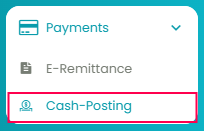
Navigate to the Payments module and select the Cash-Posting tab. On the Cash Posting page, access the relevant check.
1. Apply Payment to the Deposit:
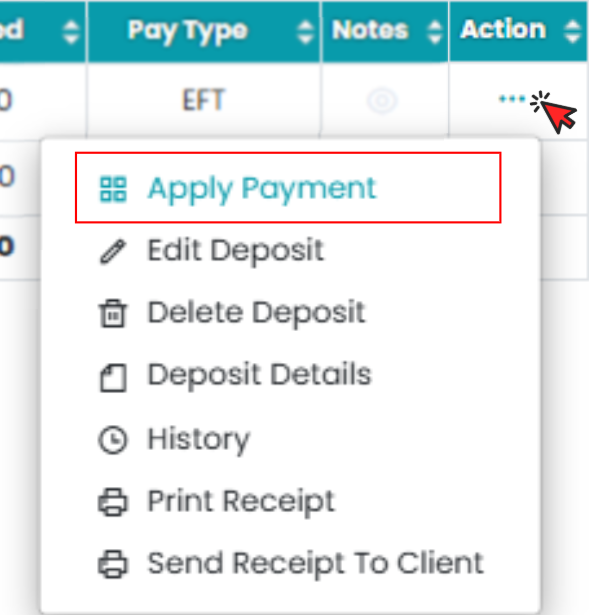
In the Action column, click the three dots for the deposit line you want to adjust and select Apply Payment.
2. Provide the Necessary Information:
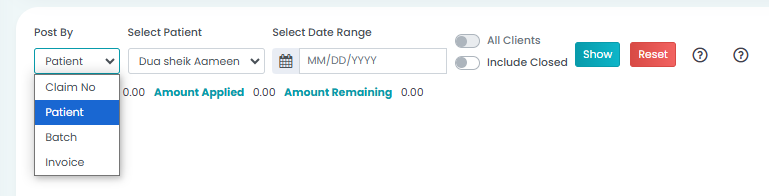
- Post By: Select the person posting the payment.
- Patient: Choose the patient associated with the payment.
- Date Range: Set the date range and click Show.
3. Apply the Write-Off:
You will see two columns: Payments and Adjustments.
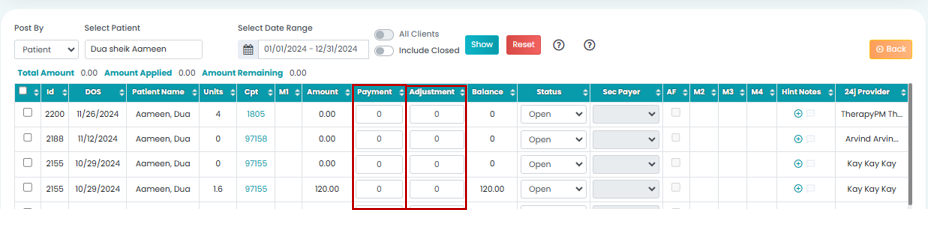
- In the Payments column, the contract amount (amount paid by the insurance) will be added.
- In the Adjustments column, the remaining balance (the amount being written off) will be added.
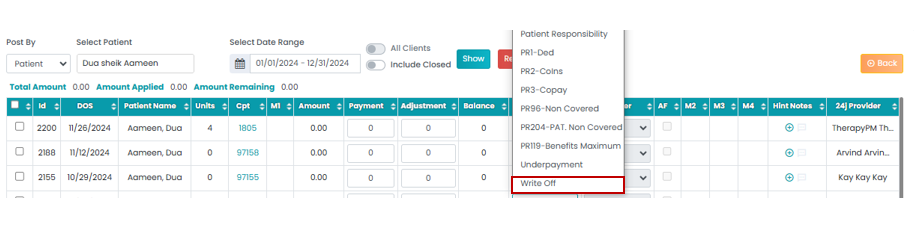
4. Select Write-Off status from the Status menu.
5. Save the Changes:
After reviewing the amounts, click Save to complete the write-off adjustment.