
In TherapyPM, you can delete a session note that has been added to a session. Follow the steps below to remove a session note effectively:
Navigation
- Log in to TherapyPM and enter the Patient tab in the main navigation bar.
- Locate the patient for whom the session note was added. You can use the search bar or scroll through the patient list.
- Open the patient’s profile by clicking on their name.
- Navigate to the Documentation tab within the patient’s profile. This section contains all session-related notes and documents.
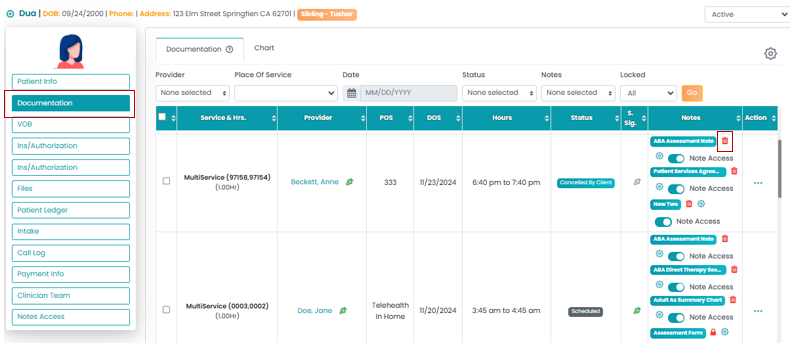
Apply Filters to Find the Specific Session:
- Use the filters available to narrow down the sessions. For example, you can filter by session date, type, or other relevant criteria.
- After applying the desired filters, click the Go button to display the filtered results.
- Find the specific session note you wish to delete in the Notes column.
- Review the note to confirm it’s the correct one.
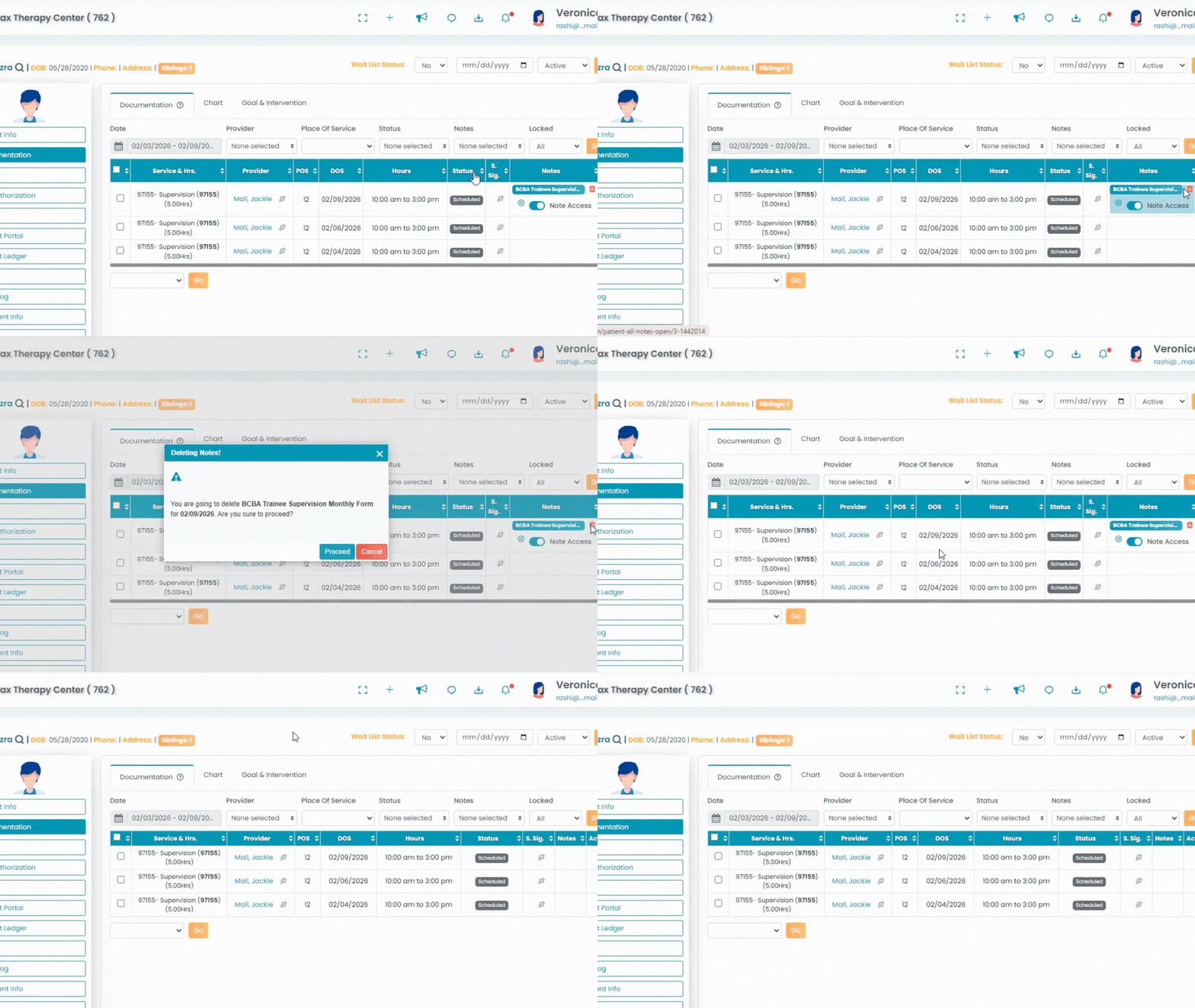
Delete the Session Note:
- Click on the Trash Icon next to the session note you want to remove.
- A confirmation dialog may appear, proceed to confirm the deletion.