
TherapyPM allows you to export patient details in bulk. You can choose to download either a basic report or a detailed report that includes comprehensive patient information.
Manage Clients Detailed Report
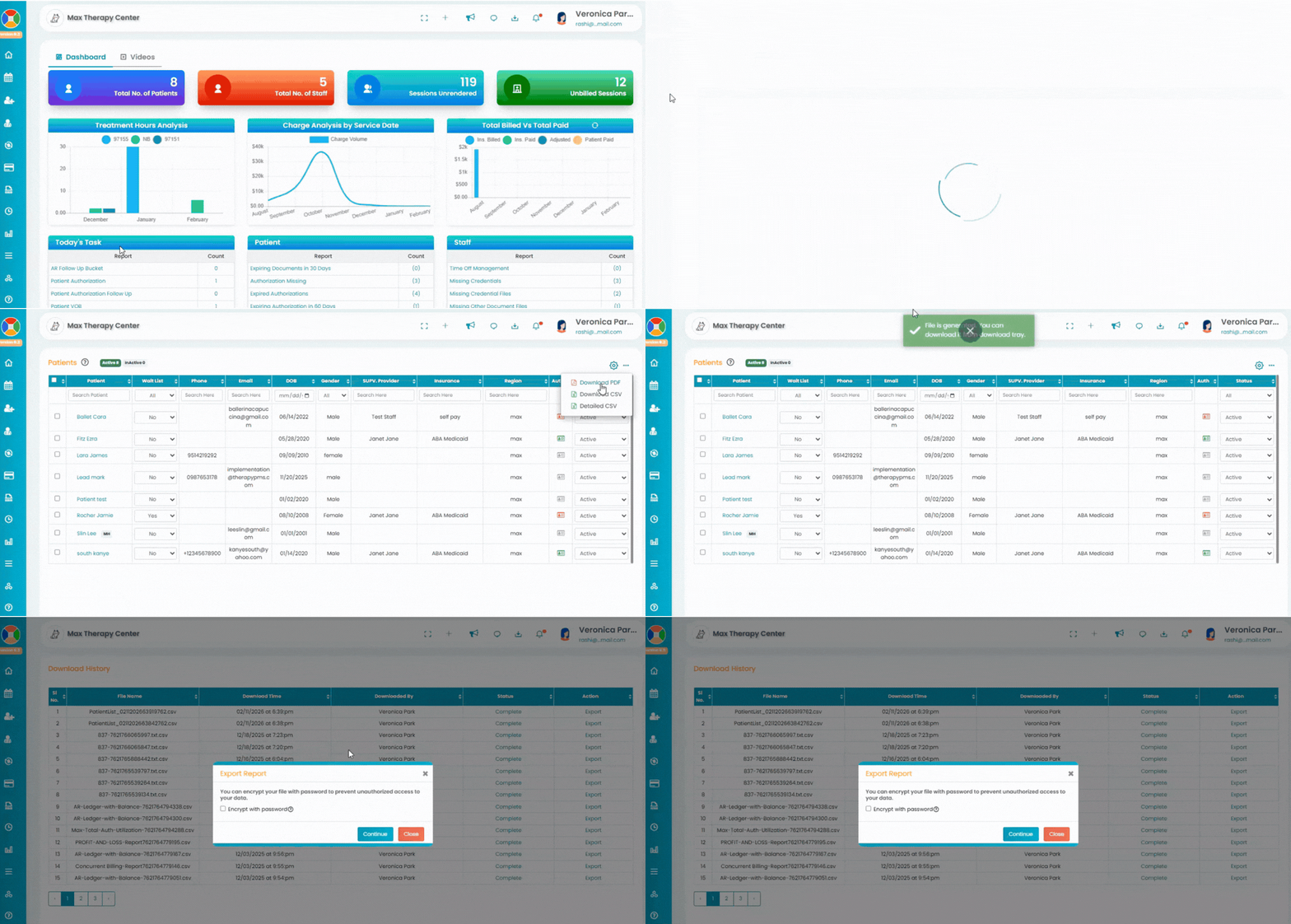
To download the detailed patient report, follow these steps:
Navigate to the Patients tab.
Click the three-dot menu in the top-right corner.
Select Detailed CSV.
A CSV file containing all patient details will be downloaded.
You can access the downloaded file from the download tray in the top taskbar.