
This article explains how to add patient SOP in Settings module.
In TherapyPM, you will be able to manage your Billing SOP (Standard Operating Procedures), and view or track it whenever needed. You can use it as your own practice reference, or if you are using our billing services, our team will refer to the Billing SOP for processing and compliance purposes.
How to Add an SOP
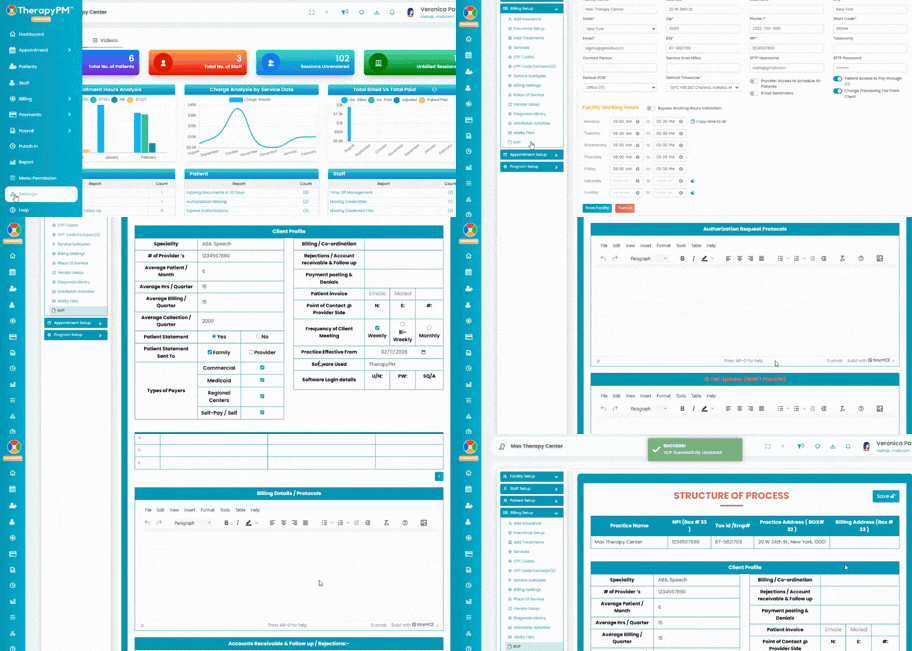
Navigate to the Settings module, go to Billing Setup and select the SOP page.
You will be directed to the SOP page where you can enter all relevant billing instructions and practice-specific details.
Make sure to scroll all the way down, review the information carefully, and complete all required fields. Once done, click the Save button located at the top right corner of the page to save your details.