
This article teaches you how to fetch all ability files in TherapyPM.
You will be able to manage your clearinghouse files that are received, such as ERA files, 277 files, 999 files, and EDI status files. Please note that these files can only be managed if the clearinghouse is set up with TherapyPM and the claims have been submitted through TherapyPM.
You will also be able to fetch and view the files once they are received, and you can download them as needed.
Manage Clearinghouse Files
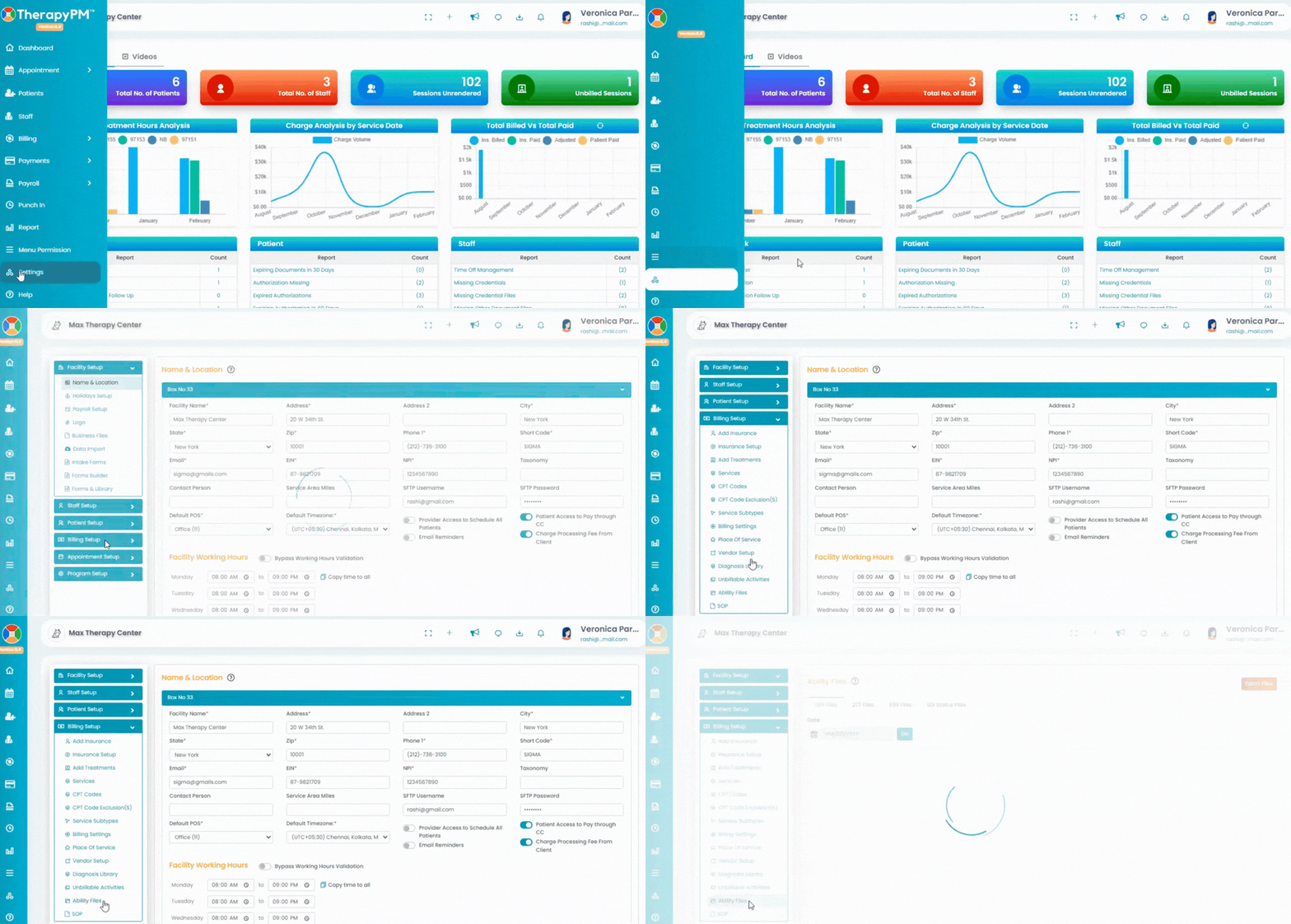
Click the "(Your Clearinghouse Name) Files" option under Billing Setup in the Settings module (left).
Select one of the File Type to view:
- ERA Files
- 277 Files
- 999 Files
- EDI Status Files
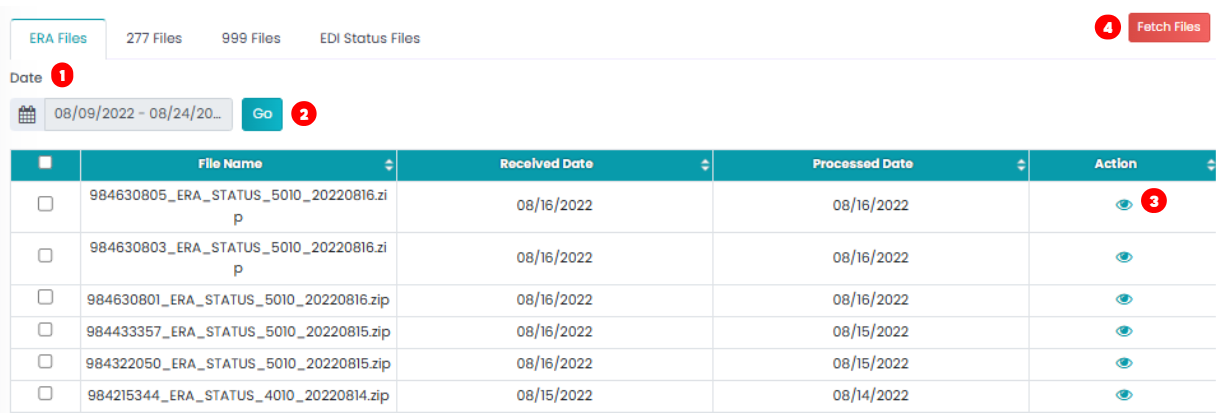
1. After selecting the preferred tab, select the date/date range.
2. Then click the Go button to generate the files.
3.The files that have been received will be displayed in the list. Click on the eye icon next to the file to export it. You will have 4.the option to encrypt the file before exporting, if needed.
5. Fetch SFTP: Click the red button on the top right to refresh and fetch new files received.