
This article explains how patients can view and manage intake forms in Patient Portal.Video Walkthrough
View the below walkthrough video on Manage Intake Forms in Patient Portal
Manage and submit intake form
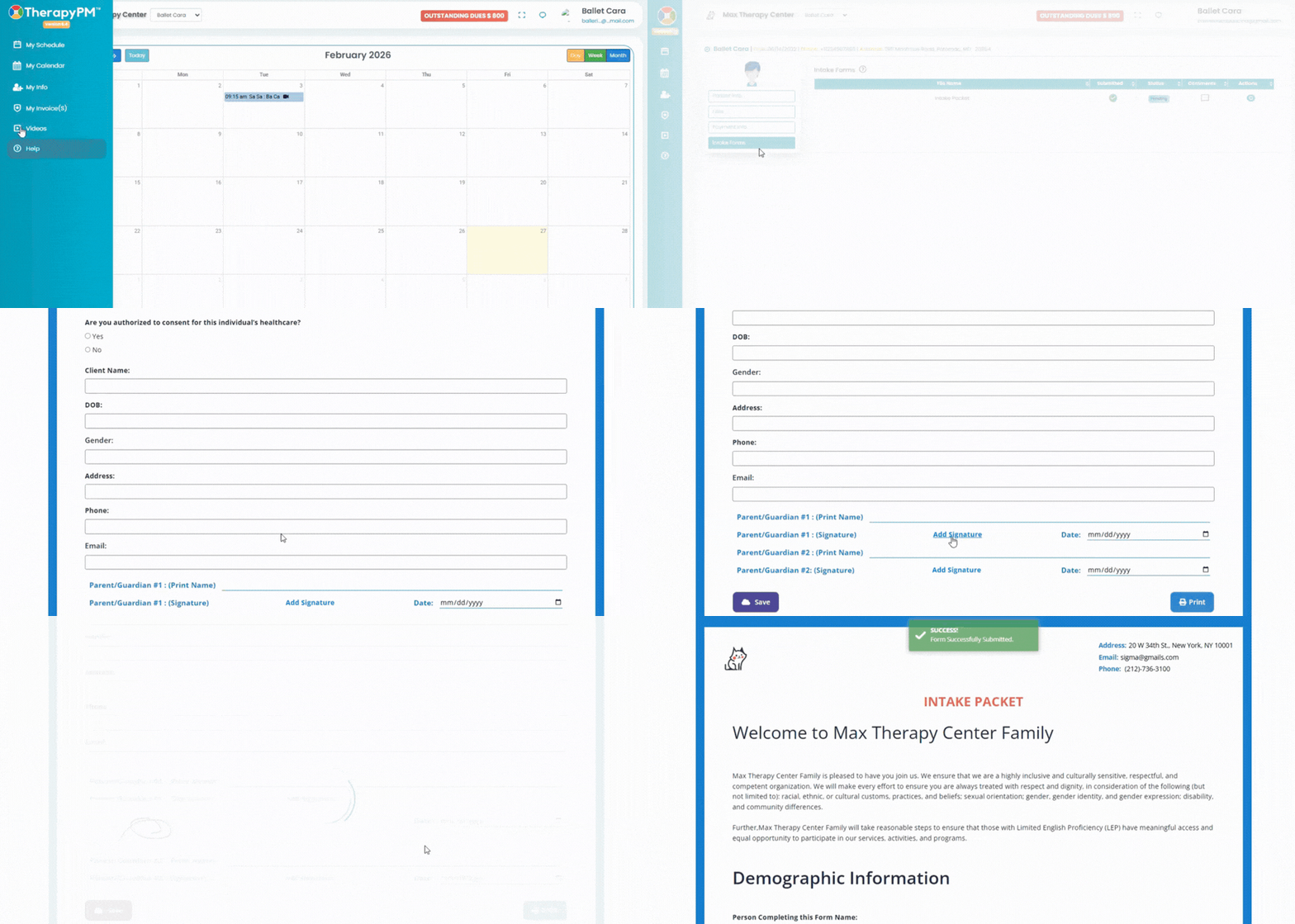
- Navigate to the My Info module on the left. Click on Intake Forms on the left.
- A list of intake forms will appear on the right side of the screen. The table consists of the following information:

- File Name: View the type of intake form uploaded in the portal.
- Submitted: View whether the forms are submitted or not.
- Status: View the status of the intake forms - Revision, Pending, Awaiting Review.
- Comments: View the comments added by clicking on the messaging icon with three horizontal dots.
- Actions: Click on the eye icon to view the intake form and fill up and sign.