
This article explains how clients can pay their balances.Video Walkthrough
View the below walkthrough video on Manage Invoices in Patient Portal
Access and pay your outstanding balance and invoice.
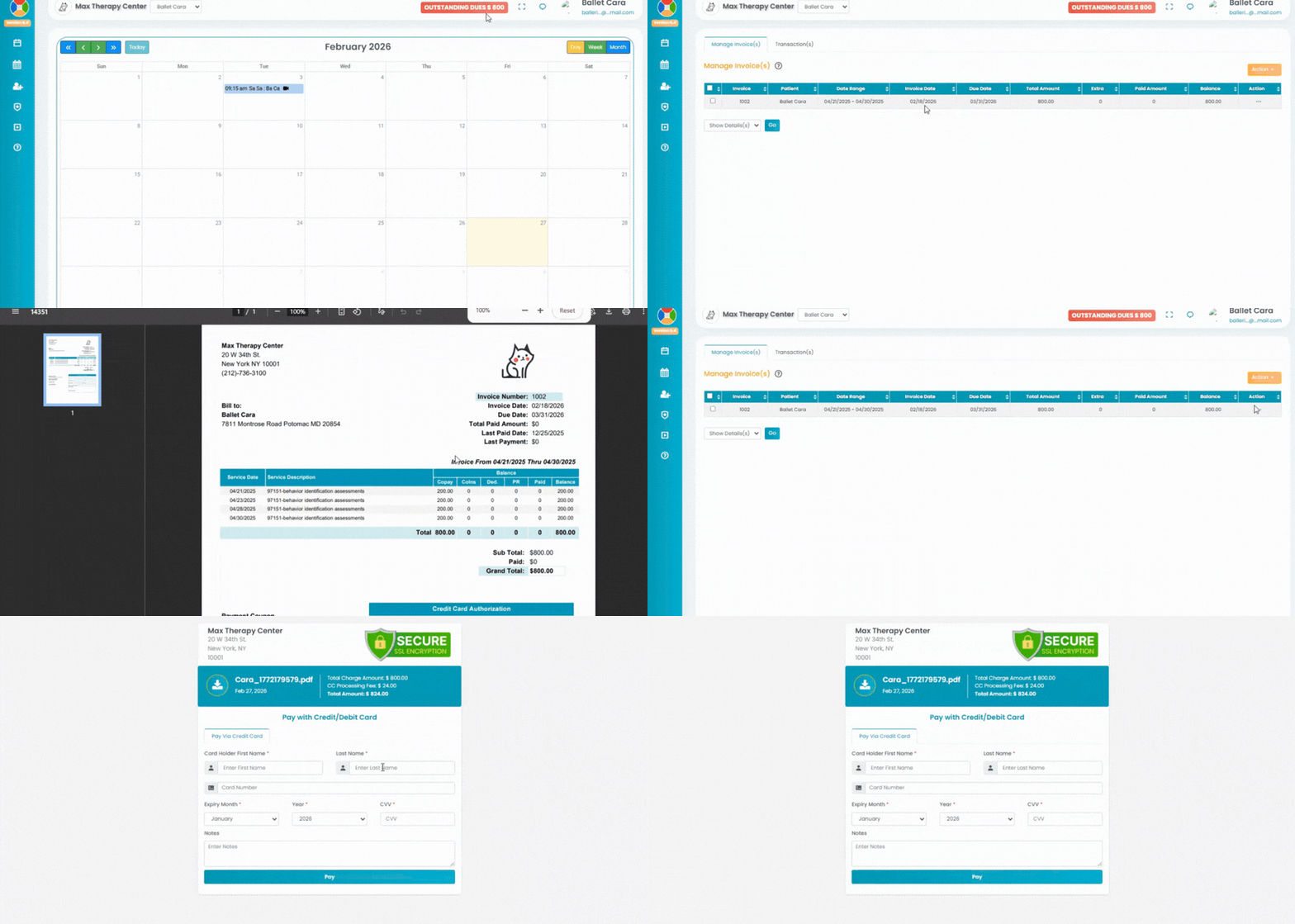
- Click the My Invoice(s) tab in the left navigation.
- You will be navigated to the Manage Invoice(s) tab to view all the invoices sent for the patient.
- Click the orange Action button on the top right to manage the invoice.

- To view the invoice, select the Print Invoice option It will redirect you to invoice sheet.

- To pay the invoice, select the Pay via Credit Card option. It will redirect you to payment page.
Enter the below information to complete the payment:
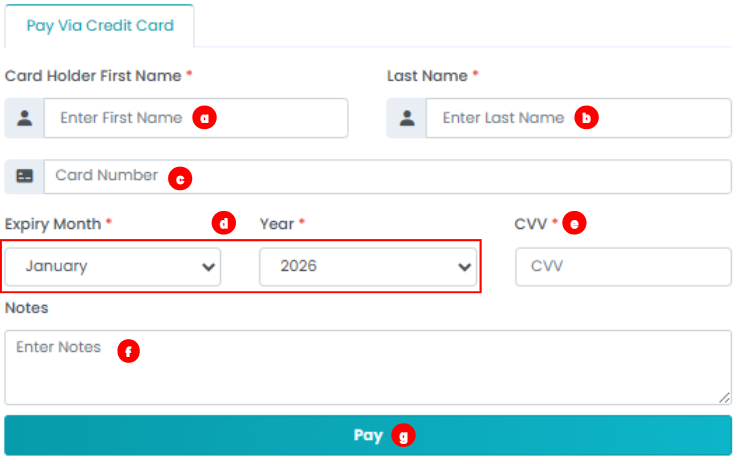
Card Holder's First Name
Card Holder's Last Name
The Card Number.
Expiry Month & Year
CVV
Notes: Any note for referance.
Click the Pay button to complete the payment.