
Learn how to perform Data Import in TherapyPMS from this article.
How to Manage Import Data
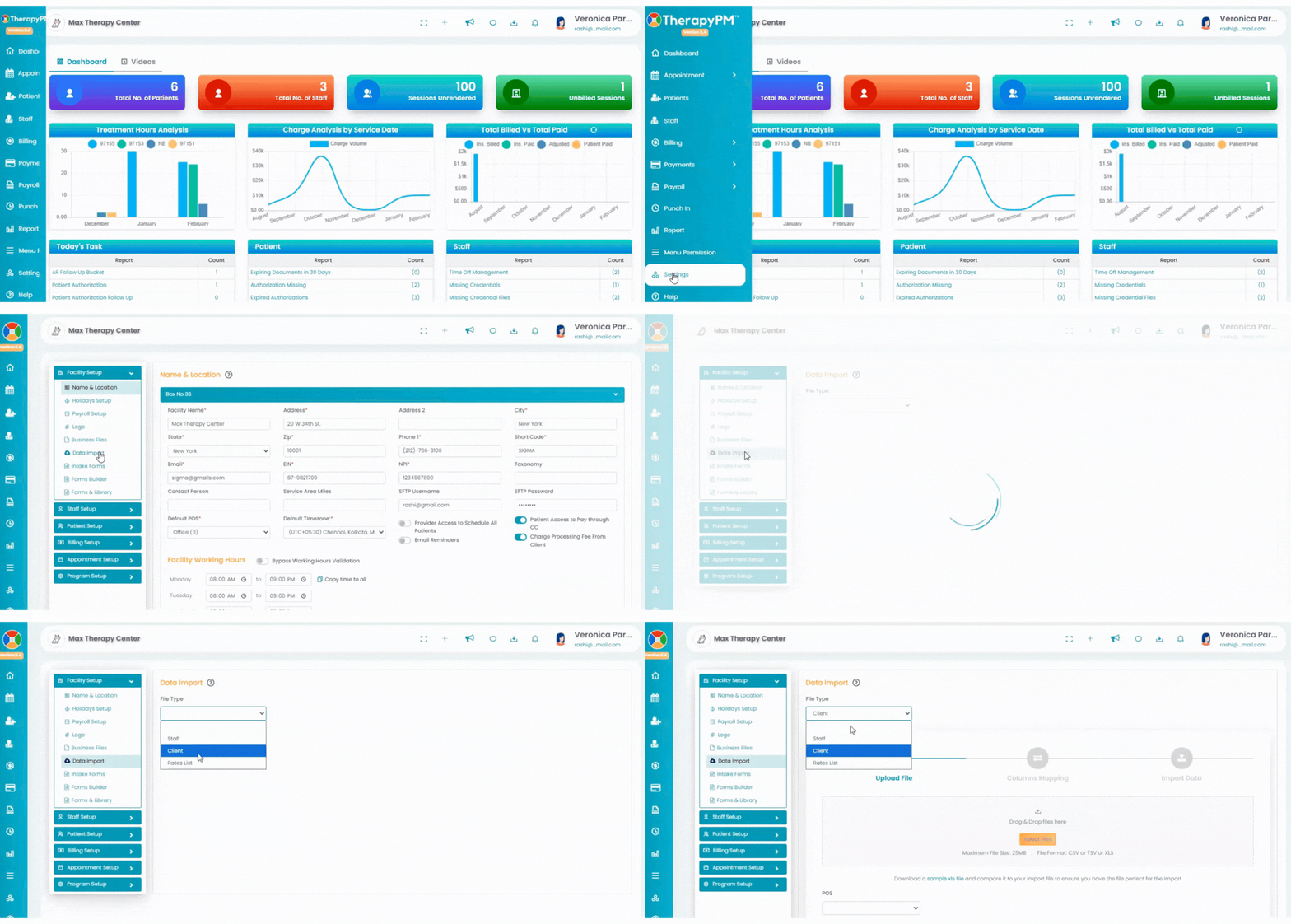
1. Click the Settings tab in the left navigation bar.
2. Click the Data Import option under the Facility Setup header.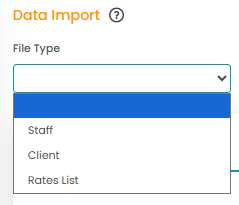
3. Select the file type from the list
- Staff
- Client
- Rate List

4. In the next screen, click the Sample XLS file to download the sample import file.
5. Make sure the import file matches the sample file column header.
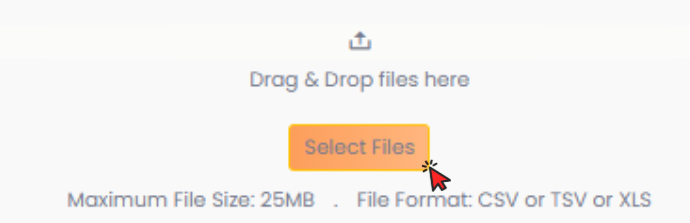
6. Click the Select File button and upload the import file. Then, click the Next button.
7. In the next screen, click the Generate Columns button to generate the column headers.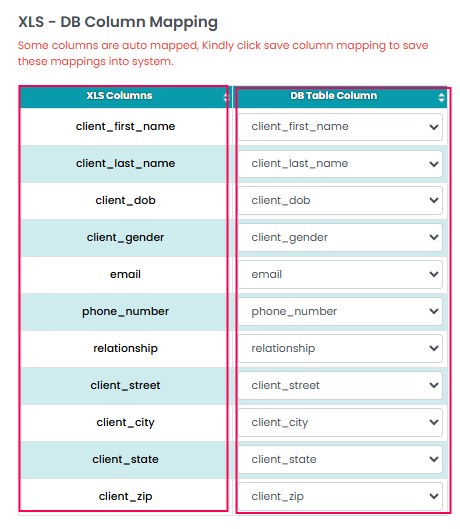
8. Make sure the columns match XLS Columns and DB Table Columns by each row, which completes the mapping function. 
9. Click the Save Column Mapping button.
10.Click the Staging Import & Show button.
11. Click the Main Table Import button to add the data.
12. The Data will be imported.