
This article explains how you can add personal holidays or federal US holidays.Video Walkthrough
For a live demonstration of Holiday Setup. see the below video:
You can add your clinic holidays, related to the facility's achievements with staffs or patients. You can also add federal US holidays! 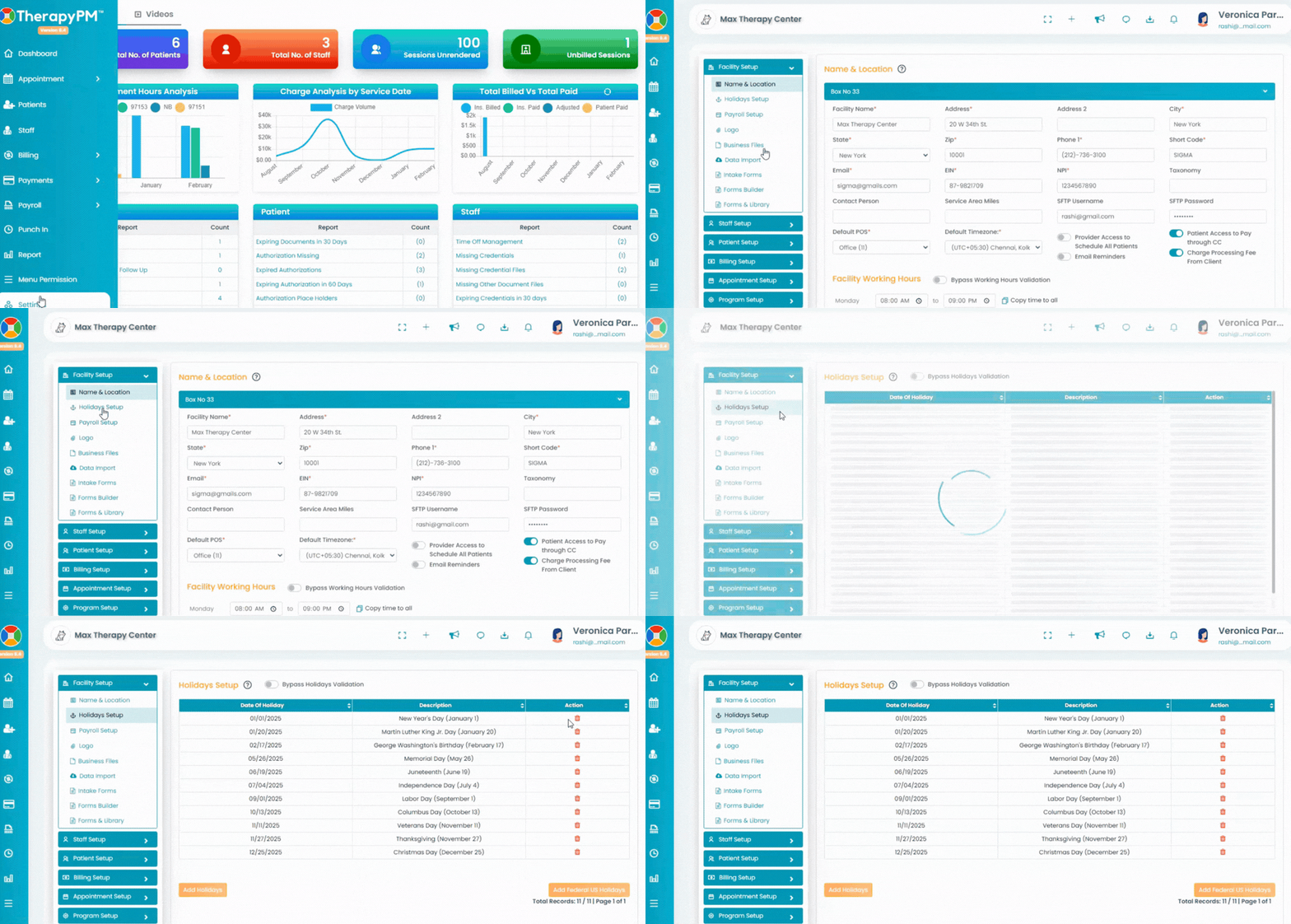
To add and manage holidays for your clinic navigate to the setting from the left navigation bar and access the holiday tab.
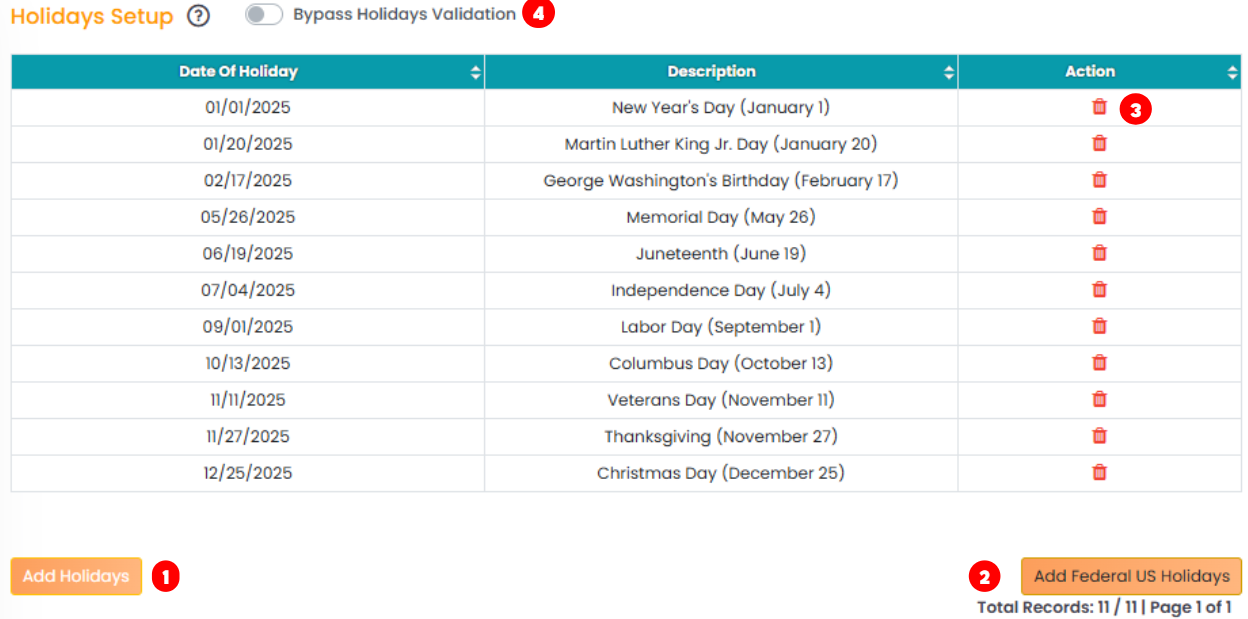
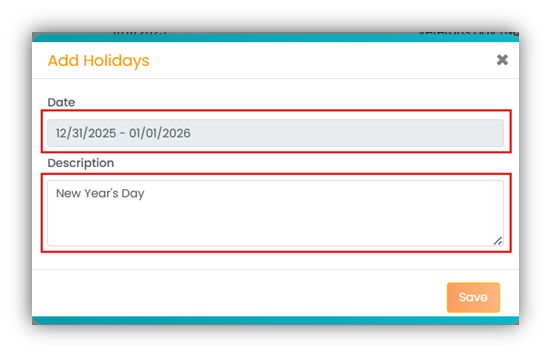
- Click on the orange Add Holidays button on the bottom left. The Add Holiday pop up appears, Select the date(s) and add the description. The click on the "Save" button. Once the customized holiday is created, it will be added to the holiday list.
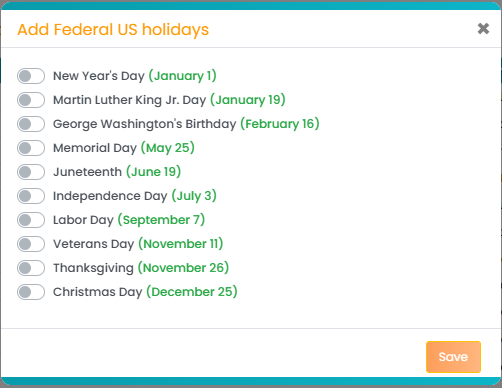
- From there, you can further manage holidays by clicking the Add Federal Holidays button located at the bottom-right corner. In the Add Federal US Holidays pop-up: You can toggle ON or OFF the federal holidays you would like to include.
- Use the Action button next to any holiday in the list to delete or remove holidays as needed.
- Use Bypass Holidays Validation toggle to enable or disable restricting schedules during holidays.