
This article provides instructions on how to add and remove staff Credential type within your facility's settings.
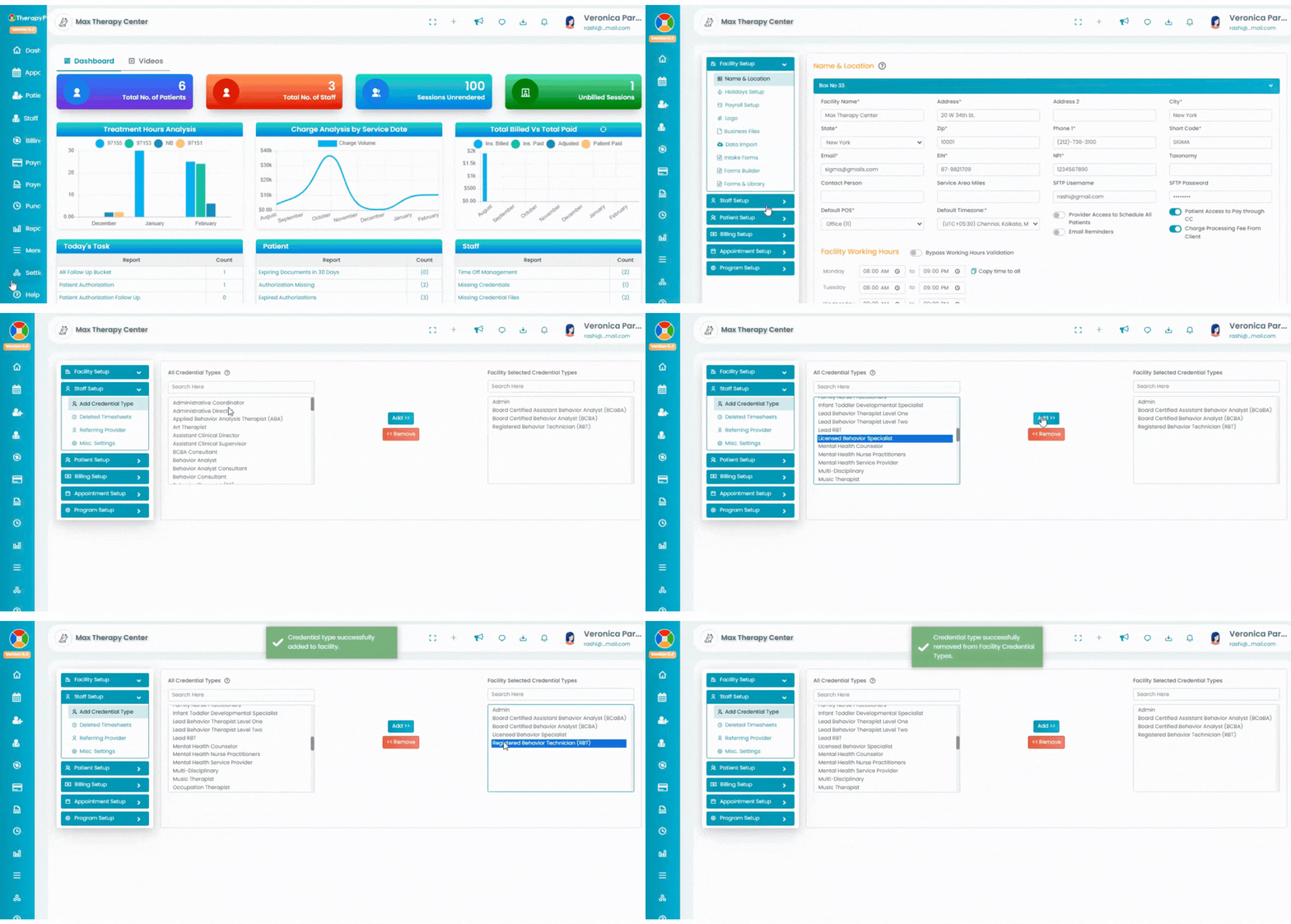
- Click on the Settings tab in the blue navigation bar (left). Under Staff Setup, select Add Credential Type.
- There are two tabs: All Credential Types (left) and Facility Selected Credential Types (right).
- You can add or remove staff titles/types however you want.
How to Add the Credential Type to Your Facility?
Adding Credential Type:
- Select the preferred Credential type under All Credential type (left).
- Select Add. The preferred Credential type will move to the Facility Selected Credential Types (right).
Remove Credential Type:
- Select the Credential type under Facility Selected Credential Types (right).
- Select Remove. The preferred Credential type will then move to All Credential Types (left).