
The Report module is where you will be able to generate reports. You can get detailed reports from schedules, payroll, billing and supervision tracking. Navigate to the reports tab from left navigation bar.
Within this tab, you can download the following reports:
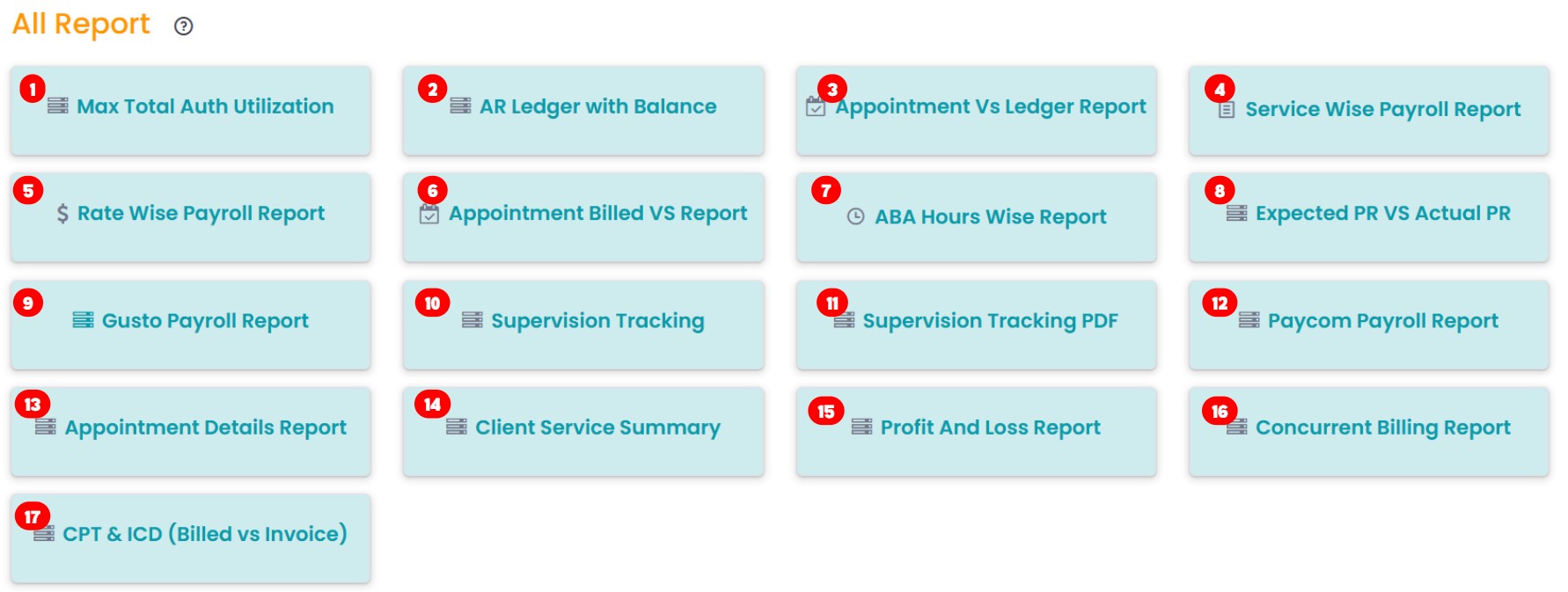
- Max Total Auth Utilization: This report shows an overview of authorization units used and the units remaining for patients. It helps track and manage authorization limits efficiently.
- AR Ledger with Balance: This report includes the Accounts Receivable (AR) ledger - balances, statuses, and comments. It shows you a record of all the insurances and their payment rates.
- Appointment Vs Ledger Report: This report shows a detailed comparison between scheduled appointments and the AR Ledger. It ensures the alignment between the scheduled appointments and the financial health of the practice.
- Service Wise Payroll Report: This report offers an overview of payroll calculations based on the services rendered. It ensures accurate tracking of service-related payments.
- Rate Wise Payroll Report: This report provides a detailed breakdown of payroll based on rates assigned to services/providers. It ensures accurate payroll management
- Appointment Billed Vs Report: This report provides a comparison between scheduled appointments and the corresponding billed amounts. It ensures accurate tracking of billing activities.
- ABA Hours Wise Report: This report provides a detailed breakdown of ABA therapy hours. It helps monitor and manage service hours efficiently.
- Expected PR vs Actual PR: This report compares projected payment receipts with actual receipts. It provides insights into payment accuracy and financial performance.
- Gusto Payroll Report: This report provides payroll details that are compatible with Gusto. It ensures seamless payroll processing and accurate financial reporting.
- Supervision Tracking: This report monitors provider-assigned appointments for all treatment codes, except for 97155. It also tracks overlapping 97155 sessions while ensuring proper supervision and session management.
- Supervision Tracking PDF: This report displays the supervision tracking report mentioned above, but it is presented in PDF format. This is especially useful for tracking the supervision status or showing others in a professional setting.
- Paycom Payroll Report: This report provides detailed payroll data formatted using Paycom. It streamlines payroll processing and ensures accurate employee compensation management.
- Appointment Details Report: This report provides a full summary of appointment details, such as timing, patient & provider name, service rendered, authorization, and whether it was a telehealth session or not.
- Client Service Summary: This report provides a summary of the type of service provided for the clients.
- Profit and Loss Report: This report explains the status of your practice's financial health, including insurance payers, services rendered, payroll, billing, and its profit and loss percentages.
- Concurrent Billing Report: This report shows overlapping sessions for the same client across different staff members, or multiple services scheduled at the same time.
- CPT & ICD (Billed vs Invoice): This report compares the billed CPT & ICD codes with the codes used in the invoice, ensuring both are aligned.